English

1. Top Cover Removal
Step 1 of 30 (Chapter 2 of 4)
Contents
Comments
⬢Open the printer.
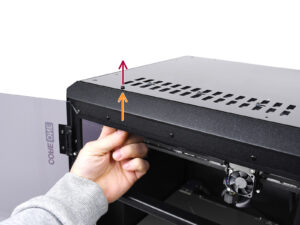
⬢From the inside, reach for the nylon rivet on the front left of the top cover. Push it out to unlock it.
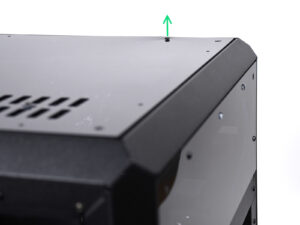
⬢Remove the nylon rivet from the outside.
⬢Remove the remaining nylon rivets on the top cover using the same technique.
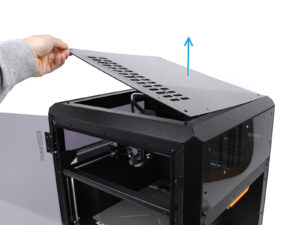
⬢Remove the top cover.
Loading...
Contents
Prusa CORE One to CORE One+ upgrade
- 1. Introduction
- 2. Printer Upgrade
- Top Cover Removal
- Handle Removal
- Side Panel Removal
- Spool Holder Removal
- Spool Holder Preparation
- Puck Installation
- Spool Holder Installation
- Filament Sensor Removal
- Sensor Disassembly
- Sensor Disassembly 2
- Sensor Disassembly 3
- Sensor Preparation
- Sensor Base Assembly
- Lever Test
- Switch Assembly
- Sensor Connection Check
- IR Sensor Installation
- Sensor Cover Installation
- Sensor Installation
- Side Handle Preparation
- Sensor / Handle Attachment
- Side Panel Attachment
- Vent Lever Preparation
- Vent Lever Installation
- Top Cover Disassembly
- Vent Block Preparation
- Top Cover Test Fit
- Top Cover Assembly
- Top Cover Assembly 2
- Top Cover Installation
- 3. Final Setup
- Manual changelog
Comments
Log in to post a comment
No comments