English
Login

EXTRUDER ERROR

#17536 (XL)

Article is also available in following languages
English
Čeština
Polski
Deutsch
Français
Español
Italiano
日本語

What happened?

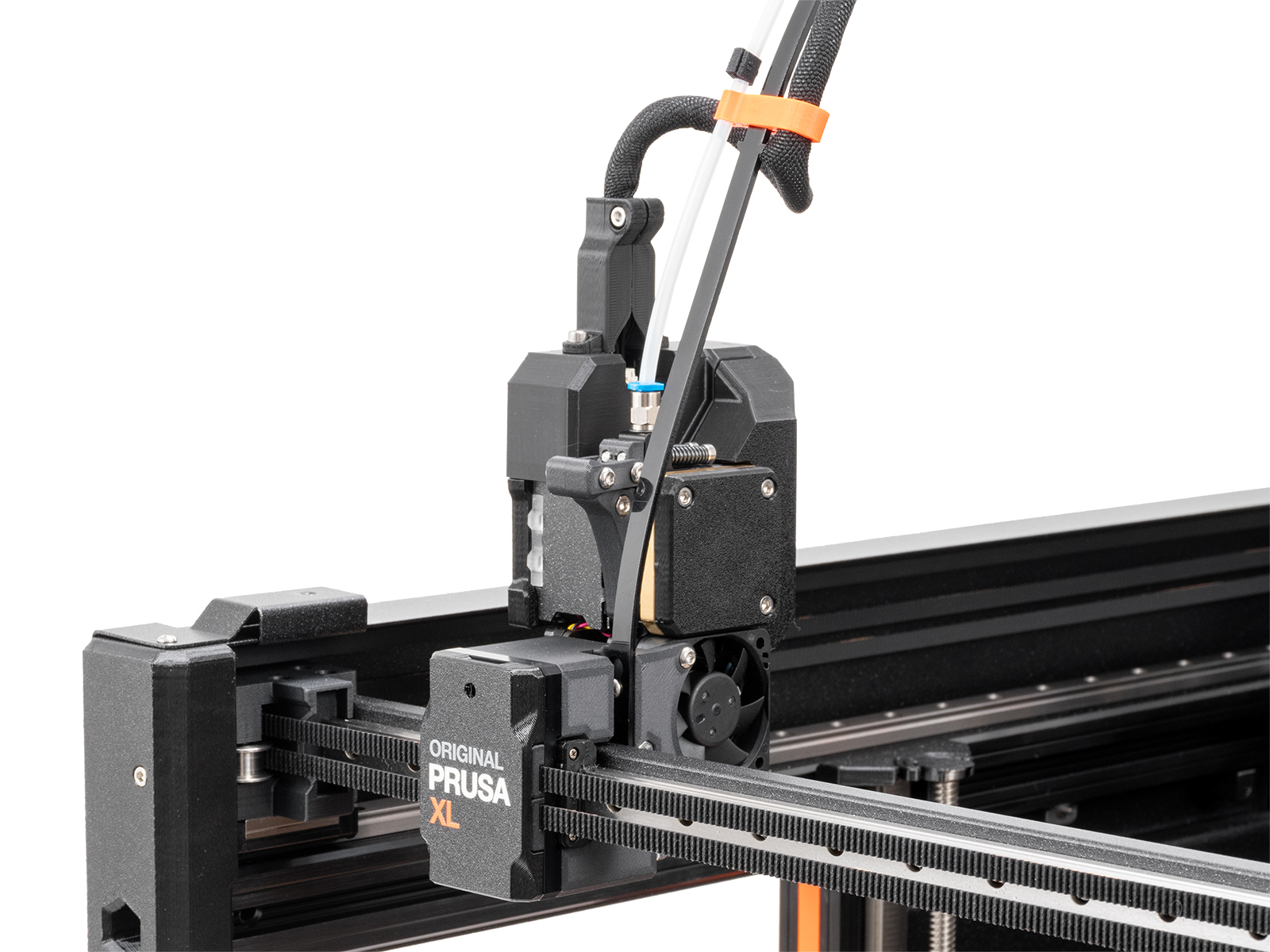
The printer shows the message "Extruder motor is not spinning on tool #". In place of #, the number of the Dwarf board is shown. 

This problem occurs due to increased resistance between the Dwarf and the cable connector, caused by the cable and connector being held too firmly in position. 

Error name: Extruder error

Error code: #17536

How to fix it? 

Update firmware

Make sure that you have firmware 6.2.0 or newer.

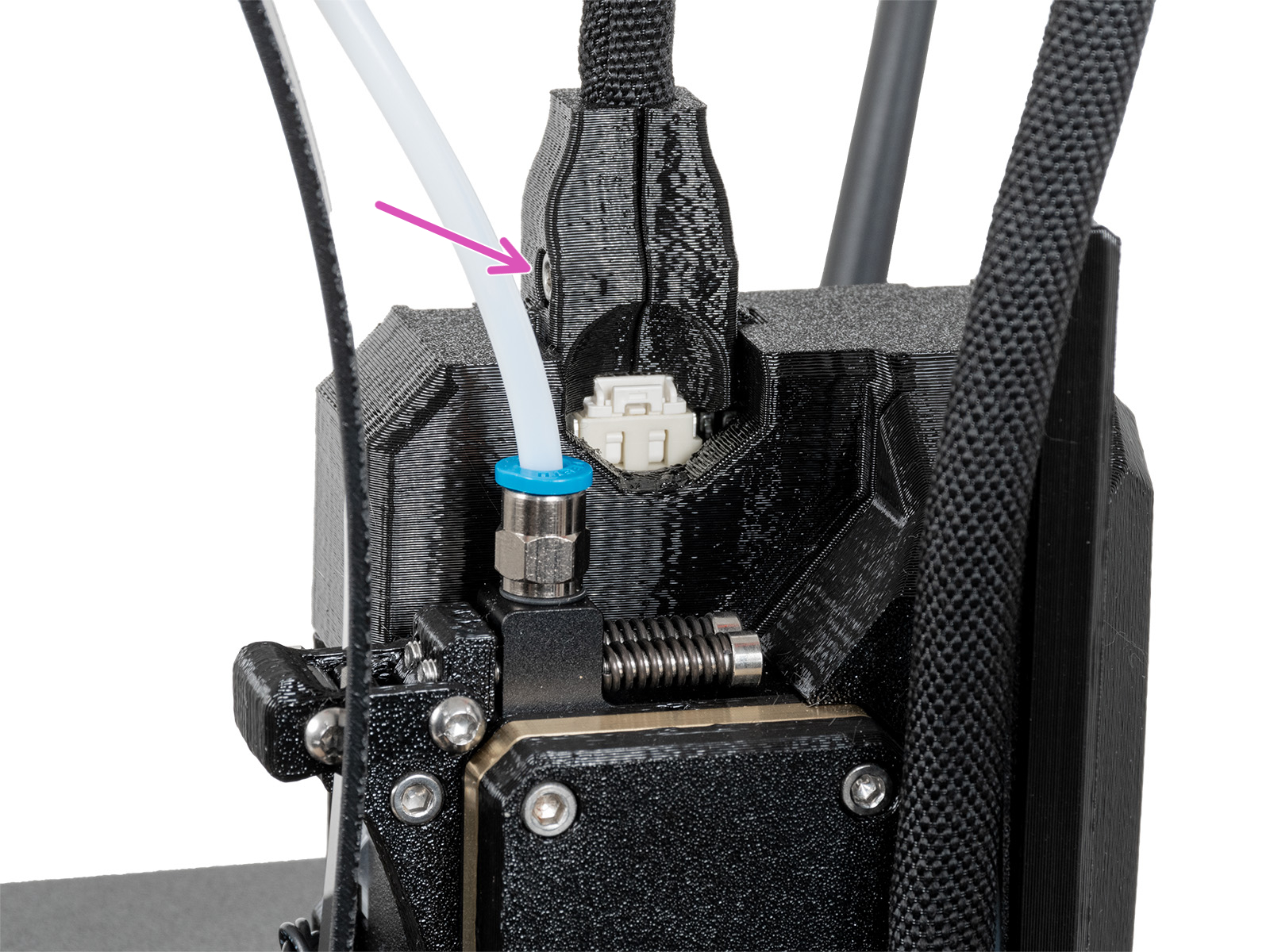
Remove the 'dwarf-cover-connector'

Remove the dwarf-cover connector, as it might hold the cable and connector too firmly. Fully loosen the bolt holding the part and remove the bolt. Repeat the print without the cover. If the issue is solved, replace the cover: How to replace the main cable connector cover (XL)

Old main cable coverNew main cable cover

If the issue is not solved, contact our customer support

Was this article helpful?
This action is available only to registered users. Please log-in.
 

73 comments

Log in  to post a comment
Mindaugas M.
Hello, after two years of trouble-free printing, I have started experiencing the same issue on 2T Prusa XL. I first noticed extruder lights flickering, after which the extruder motor stopped, the printer restarted, and eventually entered a critical error state, causing the print to fail. As an initial troubleshooting step, I cleaned both the male and female contacts with isopropyl alcohol and completely removed the dwarf cable cover. The lights stopped flickering during the first long print, and I'm hoping the print will finish successfully. So far, everything seems stable, but I'm not sure whether the fix is permanent or how long it will last. I'll continue monitoring the printer and report back if the issue reappears. It would also be helpful to add a maintenance notification reminding users to clean the toolhead contacts if the printer has not been used for an extended period.

Additionally, I would appreciate an option to resume printing after this type of interruption. At the moment, the safety feature seems overly sensitive. While I understand the intention behind it, a brief loss of contact immediately results in a failed print, which can ruin many otherwise successful long-duration prints. In my case, cleaning the contacts appears to have resolved the issue for now, but it would be nice if the printer could recover more gracefully from temporary contact interruptions.
Juraj Trenčan
všetky motory všetkých extruderov sa postupne pokazia aj všetky káble sa zrazu začali uvolňovať.
Didrik A. Voss
I finally cleaned all connectors at both ends of the cables. Now everything works.
AlexF
Maybe - https://forum.prusa3d.com/forum/postid/795019
Didrik A. Voss
I have removed the new cable cover; I have cleaned the contacts on #2 nozzle; and it still fails after 2-3 layers of printing. Does this mean the wire to the motor is broken or the connector is bad?
Breezy
I had the same problem for a few weeks now and always used the other working 4 printheads. I already replaced the cable- and dwarf covers but had no luck and actually don't wanted to invest more money for new cables at the time, so i googled a bit.
What fixed the error for me was fairly simple and i found it on the YT channel "Ro3Deee". He shut down the printer, disconnected the cable from the printhead, sprayed some pure alcohol or isoprop in the connector, cleaned the contact pins with a little brush and let it all dry. After reconnecting the printhead and retrying everything works fine and it also did for me.
My printhead always jammed after 2 to 5 minutes of printing with the error and now he's able to print nonstop hours again.
Hope that helps someone out there, before investing in replacement parts :)
Kyle
This fixed my problem as well!
THANK YOU THANK YOU for posting I was losing my GD mind!!!!
Patrick
Hi This also fixed the problem, only with sprayng the connector with WD-40 Contact Cleaner.
Thank you
acwsco
Incredible.

I spent over a year with this issue - bleeding, sweating, crying, punching the machine literally as hard as I can repeatedly (without breaking it apparently) and almost throwing it out the window.

I did this and it’s been going 200 hours nonstop.
Dusan
Breezy,
Thank you very much. It helps. I did replace cable cover , it doesn't help . After I red your comment i spraued connector on both sides with "Contact cleaner" and it helps a lot. Already printed like 30 hours without problem.
FinnovationPD
This has worked for me so far. I used WD-40 Contact cleaner from an autoparts store that cost about $14 USD. I made sure to unplug the system from electrical supply. I also reinstalled the original cable mounts. Do you think its possible that the electrical connections are getting exposed to off-gasses from heated filament that cause build up and eventually interfere with the conductivity?