It would be nice to be able to interpret some of the sensor readings, especially with regards to the filament sensors. What does "Side Filament Sensor INS / 2" mean"? I get the "INS" part. Yes, filament has been inserted. What is the "2" trying to tell me? I am trying to solve a Filament Sensor Calibration problem. Clearly stated sensor information would help.
Great overview, but out of date unfortunately... The latest "Chamber Filtration" menu changes (C1+ FW 6.4.0) are missing: - Filter Usage - Change Filter - Print Filtration I'm especially interested in the "Print Filtration" setting and searching a while for it now. Found this promising page but nope: - This point missing - No descriptions to the individual points (links to detail pages would be nice!) Found the "Print Filtration" description on https://help.prusa3d.com/article/advanced-filtration-system-for-prusa-core-one_887189
I agree with the previous comment, a lot of these may be self-explanatory, but it would still be nice to have a concise explanation of each item, even the ones that seem to not need any.
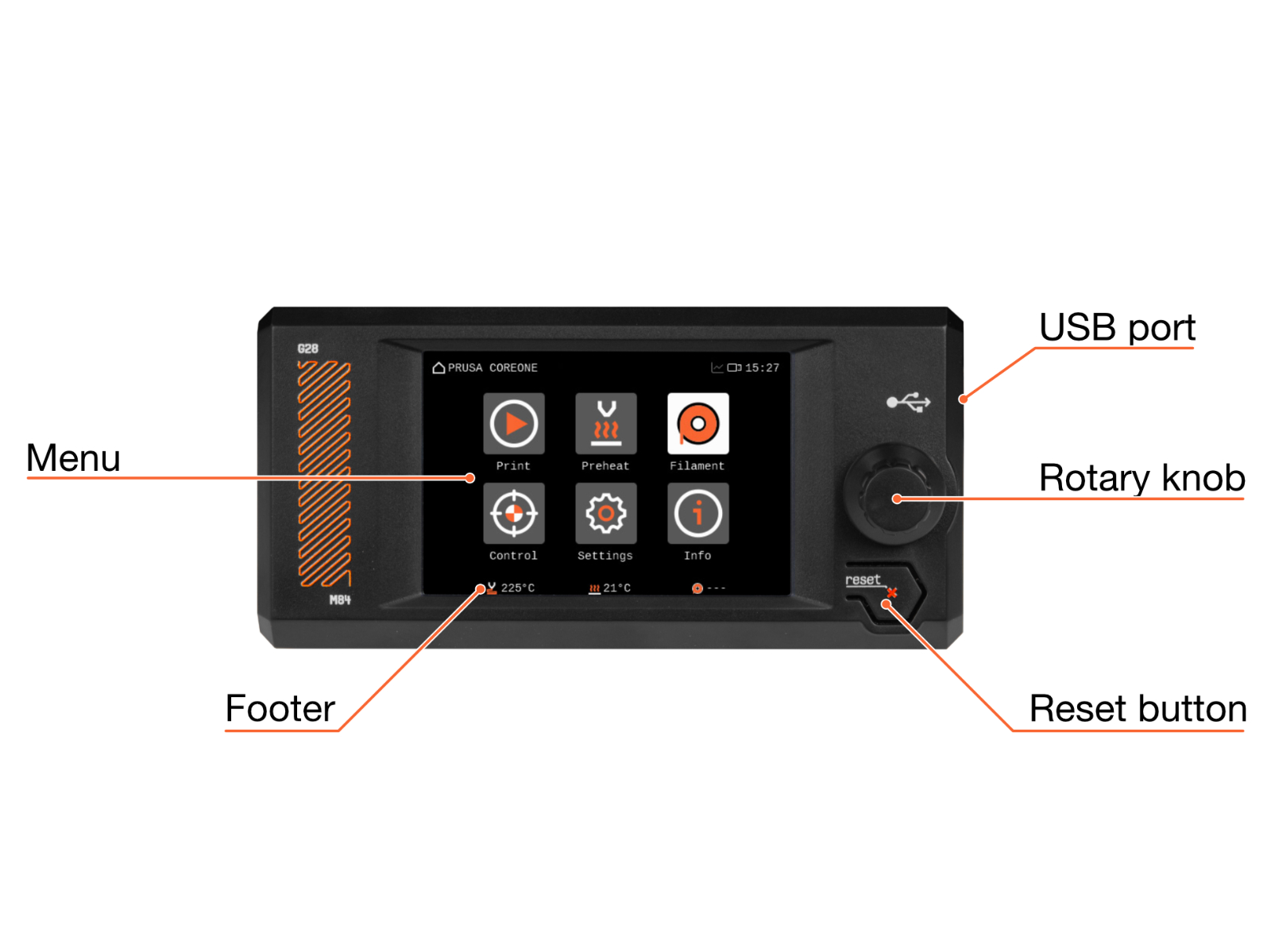
It's nice to see the layout of the menu, but how about an explanation of the options? There are a few things I don't understand or want to change. Like what is metrics? What do you do with that and what is it for? Should I even care, or ignore it? What about some of the filament settings? Can I change the purge amount? What difference does the hardened nozzle make? What about high flow?
I'd also very much like to see these filled in. A hyper-link on each with a description of their general properties.
I still don't know what a lot of these options mean. The one time I set my printer to 300%, I crashed it and scratched the bed because the bolts in the print-head loosened and it wobbled and struck the print.
I had to take the fan off and tighten up a lot of the bolts behind the fan because the print-head and its been fine since, but some warning would have been nice.
A thing I'd love to know is if I could use locktight or something else to firm up the bolts and prevent them from coming loose so I can do very fast drafting prints...
...Or is that setting just kinda doomed to cause harm?
I genuinely have no idea and its not in the print manual anywhere and skimming the forums has also not been particularly fruitful either.


5 comments
I am trying to solve a Filament Sensor Calibration problem. Clearly stated sensor information would help.
The latest "Chamber Filtration" menu changes (C1+ FW 6.4.0) are missing:
- Filter Usage
- Change Filter
- Print Filtration
I'm especially interested in the "Print Filtration" setting and searching a while for it now.
Found this promising page but nope:
- This point missing
- No descriptions to the individual points (links to detail pages would be nice!)
Found the "Print Filtration" description on https://help.prusa3d.com/article/advanced-filtration-system-for-prusa-core-one_887189
Prusa, you are failing. If you build a printer for the masses, you need to do more to fill in all these usability gaps.
What about some of the filament settings? Can I change the purge amount?
What difference does the hardened nozzle make? What about high flow?
I still don't know what a lot of these options mean. The one time I set my printer to 300%, I crashed it and scratched the bed because the bolts in the print-head loosened and it wobbled and struck the print.
I had to take the fan off and tighten up a lot of the bolts behind the fan because the print-head and its been fine since, but some warning would have been nice.
A thing I'd love to know is if I could use locktight or something else to firm up the bolts and prevent them from coming loose so I can do very fast drafting prints...
...Or is that setting just kinda doomed to cause harm?
I genuinely have no idea and its not in the print manual anywhere and skimming the forums has also not been particularly fruitful either.