Relevante para


A project created in PrusaSlicer 3.0 or newer opens in older versions with geometry and color painting intact. However, print settings, presets, and other painted features (such as supports, seams, and fuzzy skin) are not carried over. The original file remains untouched — unless it is re-saved in the older version.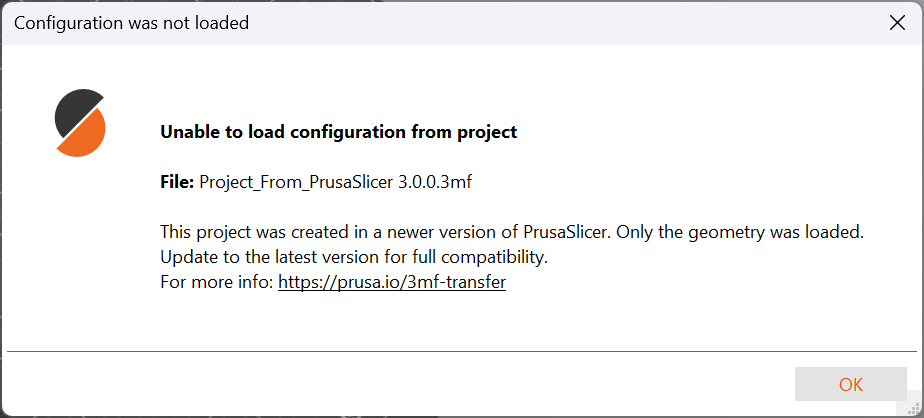
| Project being opened | Geometry | Settings |
| a 2.9 project opened in version 3.0 | yes | yes, converted |
| a 3.0 project opened in version 2.9.1 and newer | yes | no — the message above is displayed |
| a 3.0 project opened in version 2.9.0 and older | yes | no, and without any notification |
The term "settings" covers more than is usually expected:
While colour painting is now successfully carried over, other painted elements—such as painted supports, seams, and fuzzy skin—are not. Unlike the configuration, the older version gives no warning about this; these unsupported painted features simply disappear.
Some geometry metadata is simplified as well:
Saving in version 2.9 does not strip the settings — it replaces them with whichever presets are selected in that older version.
For example: a project for a Prusa XL and a CORE One running PLA turned into a project for a CORE One L running PETG, dozens of degrees hotter. The resulting file looks perfectly valid, and no warning appears when saving.
To keep the original intact, save under a different name.
PrusaSlicer has always aimed for the widest possible compatibility in both directions, and every format change was weighed so that our users work stayed fully transferable. With version 3.0, this was not possible for the first time.
The new architecture introduces capabilities the old format cannot describe — above all multiple beds, each with its own configuration and even its own printer, and a preset system that assembles a preset from the actual hardware configuration. We chose to break compatibility once rather than twice.