The Bed leveling failed error appears when there is something wrong with the last stage of the calibration. This calibration is the last step of XYZ calibration and is performed before each print.
For MK2.5/MK2.5S printers that have the SuperPINDA installed, you MUST use firmware version 3.9.3, or above!
There can be three different error messages related to the Bed leveling failed:
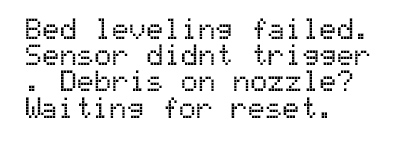
Sensor didnt trigger. Debris on nozzle? Waiting for reset.
Sensor triggered too high. Waiting for reset.
Sensor disconnected or cable broken. Waiting for reset.
Troubleshooting
"Sensor didn't trigger. Debris on nozzle? Waiting for reset"
Make sure the nozzle and heatbed are clear of any plastic.
Do the Z calibration through the LCD Menu - Calibration - Calibrate Z, which also levels the X-axis.
Try to resume the calibration or start the print again (depending on when the error occurred).
Bed Leveling Failed: I received the mini as a used machine and it was obvious the box suffered some damage during transporting. The Y axis belt retainer was broken upon delivery.
It obviously didn’t pass the XYZ axis test and after carefully checking the alignment I realized the XZ axis was way off. It was so bad that I had to loosen 16 bolts to realign it. It’s now completely square.
I also checked the PINDA and it’s working fine at the correct height.
Meanwhile, it passes all of the self tests and printed a beautiful line during the first layer Z test, so I know that it knows where the bed is and that the bed is level.
Still, it will not print. It gives me the bed level failure each and every time. - Any suggestions?
Update: I found out that if the Y axis belt retainer is installed in reverse orientation, it gives the bed level failure right before each print for the Mini+. This is because the printhead is just far enough in front of the build plate to not sense the build plate at all.
I could fix the error "Sensor didn't trigger. Debris on nozzle? Waiting for reset" by cleaning and lubricating the x and y axis. In my case, the issue was caused by the extruder not reaching the measuring point because of to much friction. cheers
Just for others to know. Encountered this intermittent bed leveling issue when printer was placed on a metal table (with some reflectivity). Placing a low-reflectivity plate under the printer was the solution. Seems like the sensor is not supposed to get reflection from the table surface through the small round holes in the bed (or related).


4 comments
It obviously didn’t pass the XYZ axis test and after carefully checking the alignment I realized the XZ axis was way off. It was so bad that I had to loosen 16 bolts to realign it. It’s now completely square.
I also checked the PINDA and it’s working fine at the correct height.
Meanwhile, it passes all of the self tests and printed a beautiful line during the first layer Z test, so I know that it knows where the bed is and that the bed is level.
Still, it will not print. It gives me the bed level failure each and every time. - Any suggestions?
"Sensor didn't trigger. Debris on nozzle? Waiting for reset"
You may want to add something like:"Make sure the PINDA sensor didn't move (eg. because of a collision in the previous print). It should be ca. 1mm higher than the nozzle tip."This was my case.Found the solution here:https://forum.prusaprinters.org/forum/original-prusa-i3-mk3s-mk3-hardware-firmware-and-software-help/ed-leveling-failed-sensor-didnt-trigger-debris-on-nozzle/