Relevant for


The printer is showing the message "Power panic situation detected".
The error is likely caused by a firmware issue. Less likely, it can be caused by a disconnected power panic cable.
Error name: AC controller fault
Error code: #35333
Perform a Hard reset (USB with FW needed) from the Factory reset (CORE One L, CORE One, MK4/S, MK3.9/S, MK3.5/S, MINI/+, XL) article, with the latest firmware on the root folder of the USB drive.
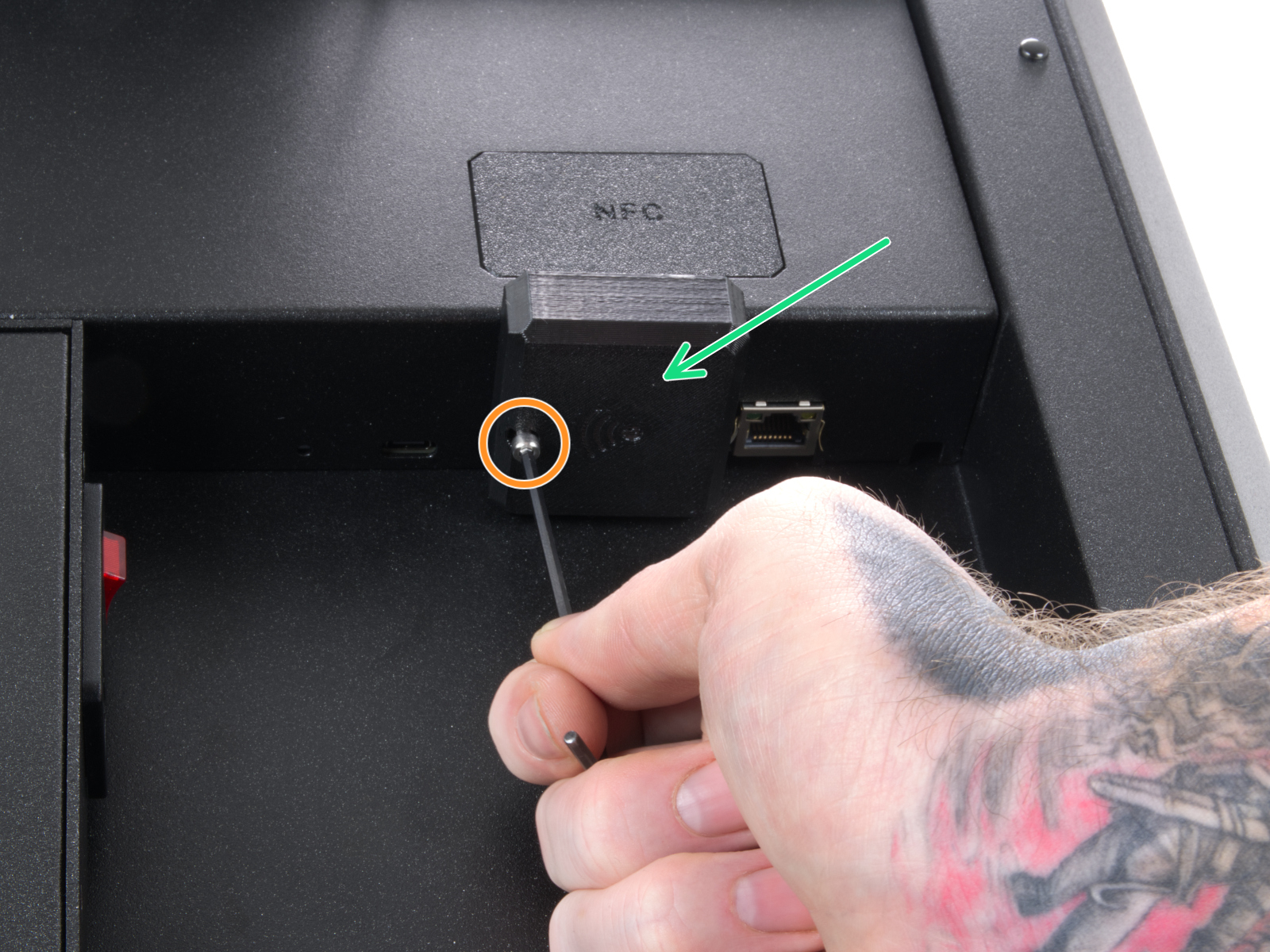
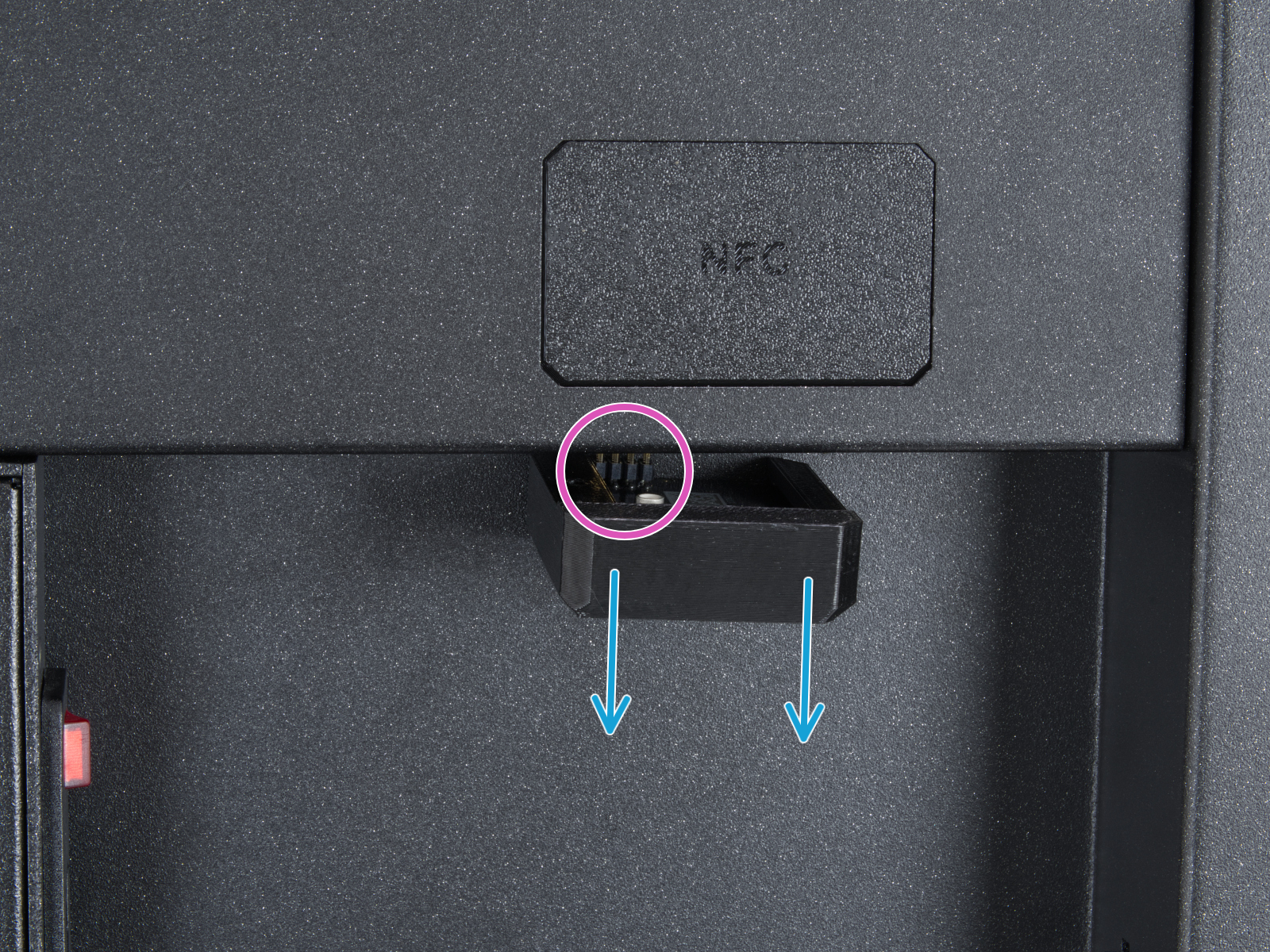
Locate the Wi-Fi module on the rear panel of the printer. Using a 2.5 mm Allen key, remove the M3x14 screw. Gently pull the Wi-Fi module straight downward to remove it from the printer.
 |  |
From the inside of the printer, locate on the rear side the highlighted M3x4bT bolts.
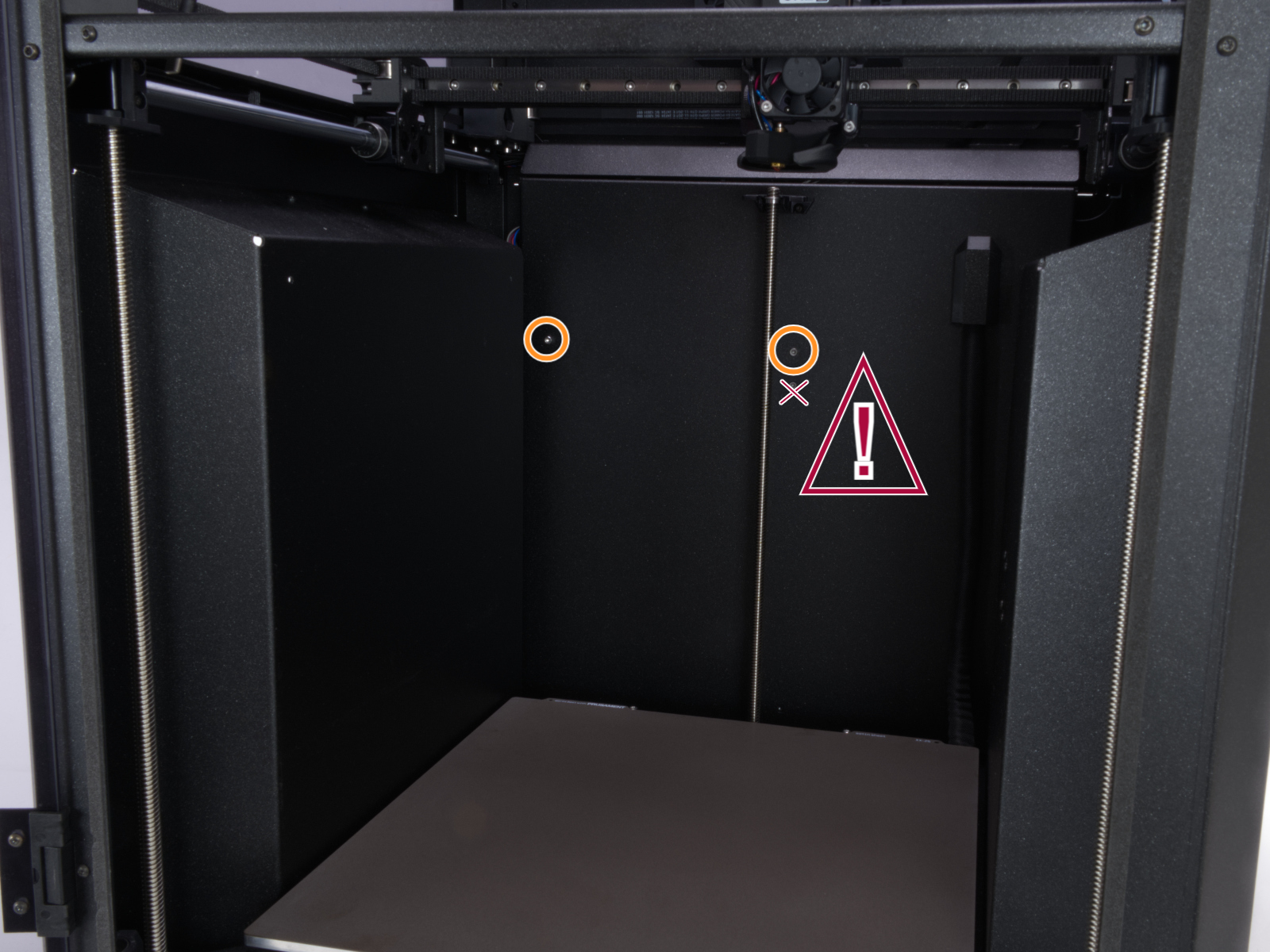
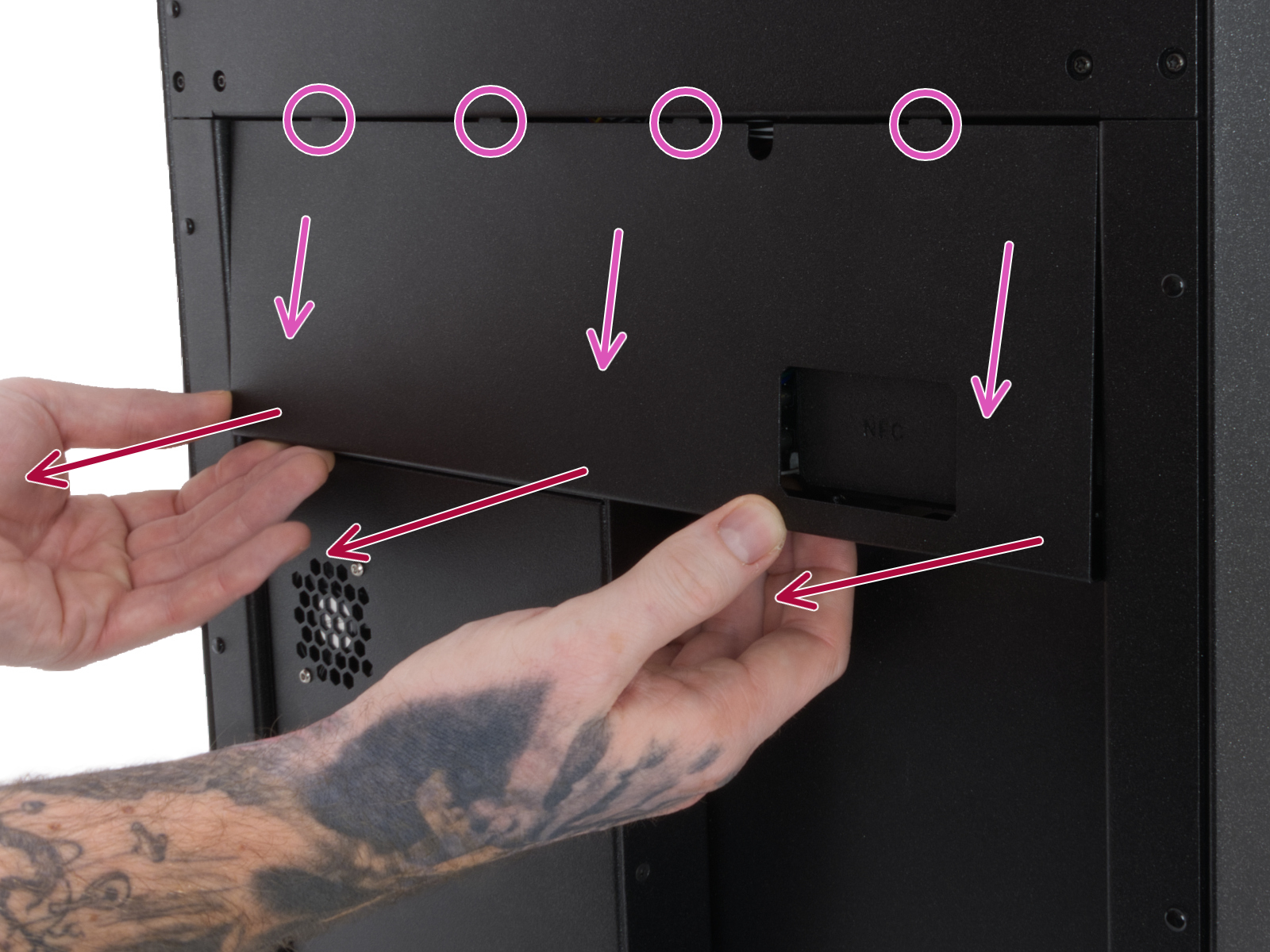
Using a T10 Torx key, remove two M3x4rT bolts to release the rear xBuddy box cover. Lift the cover to expose the xBuddy and xBuddy extension boards.
 | 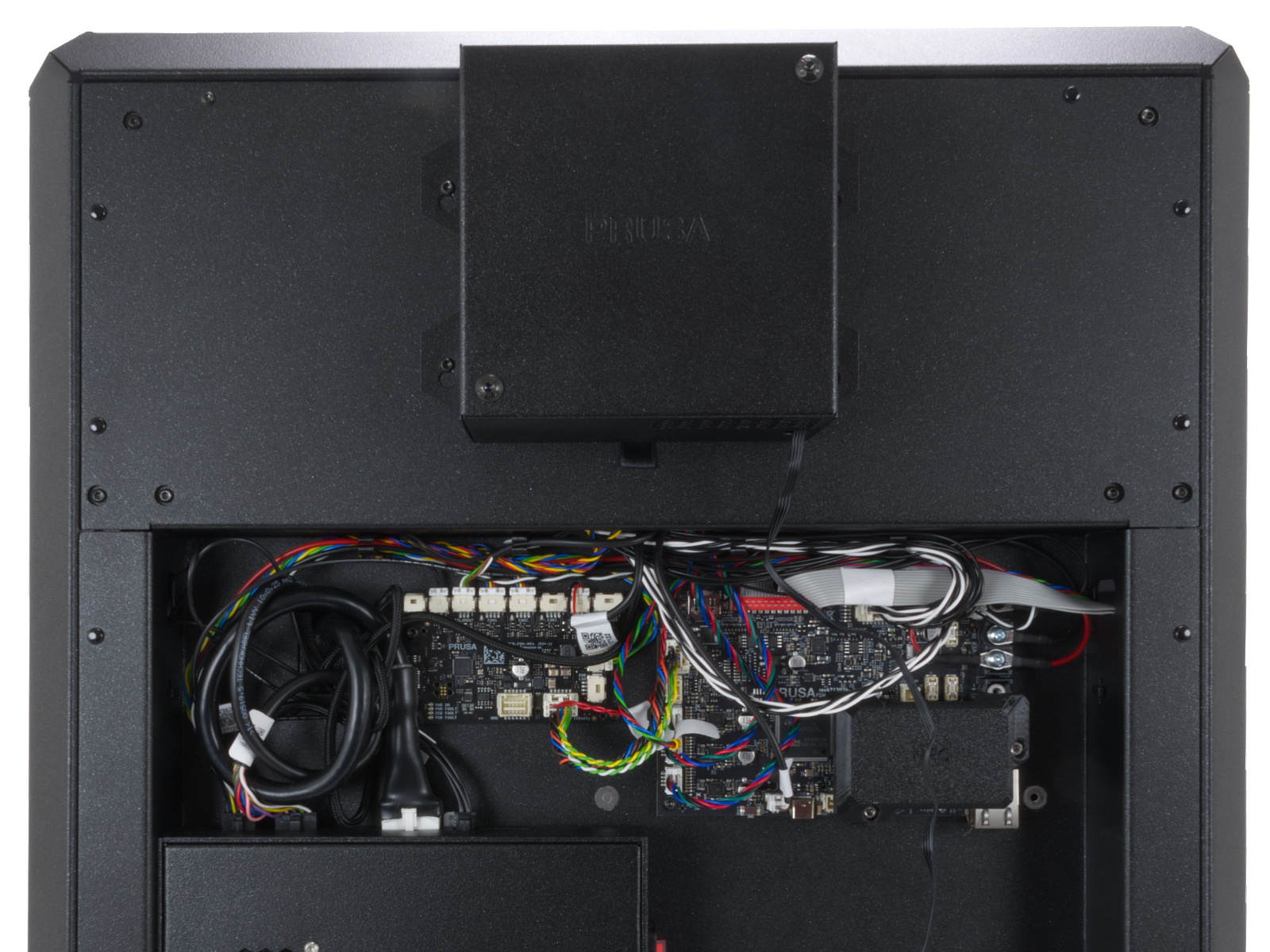 |
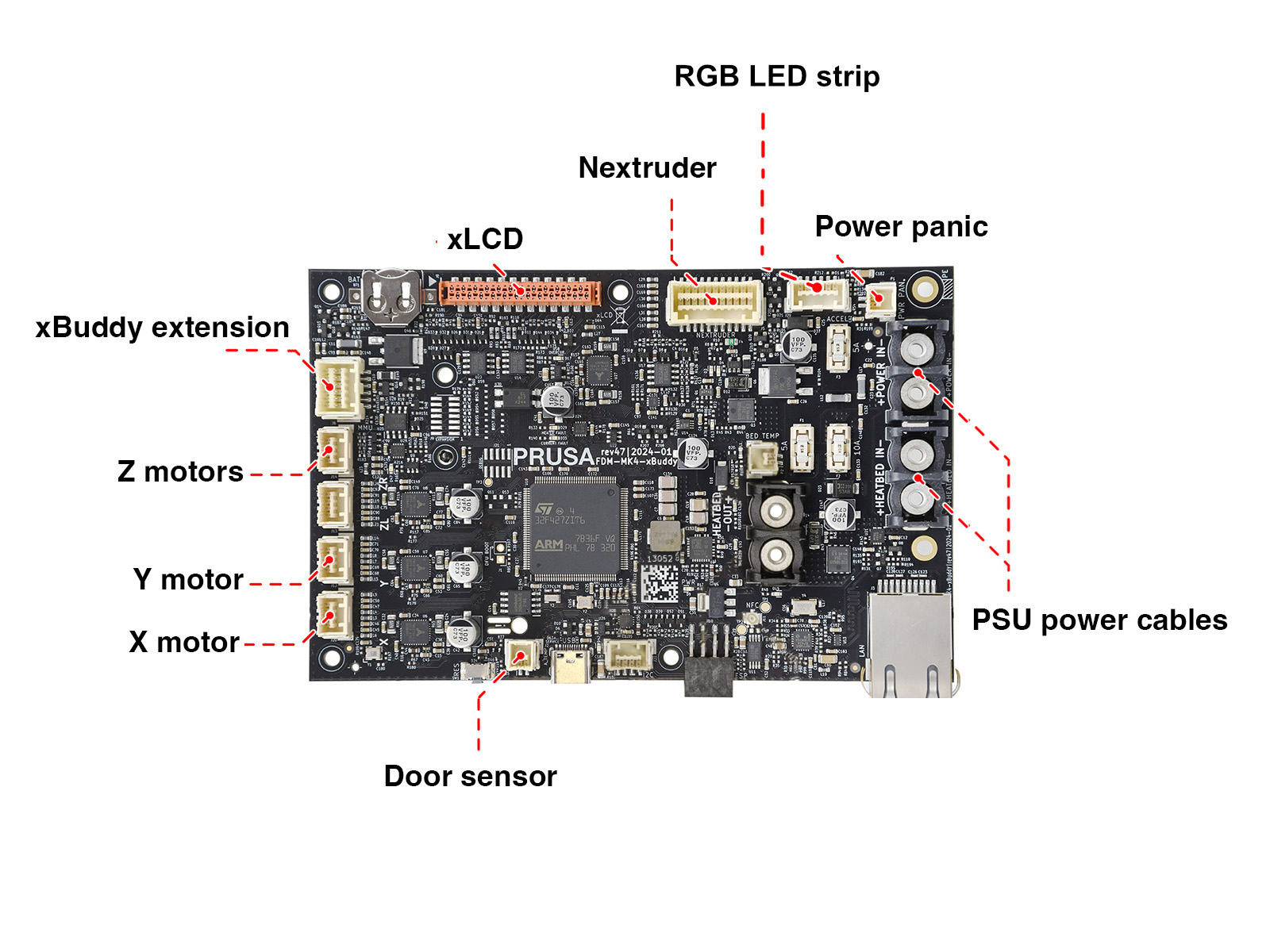
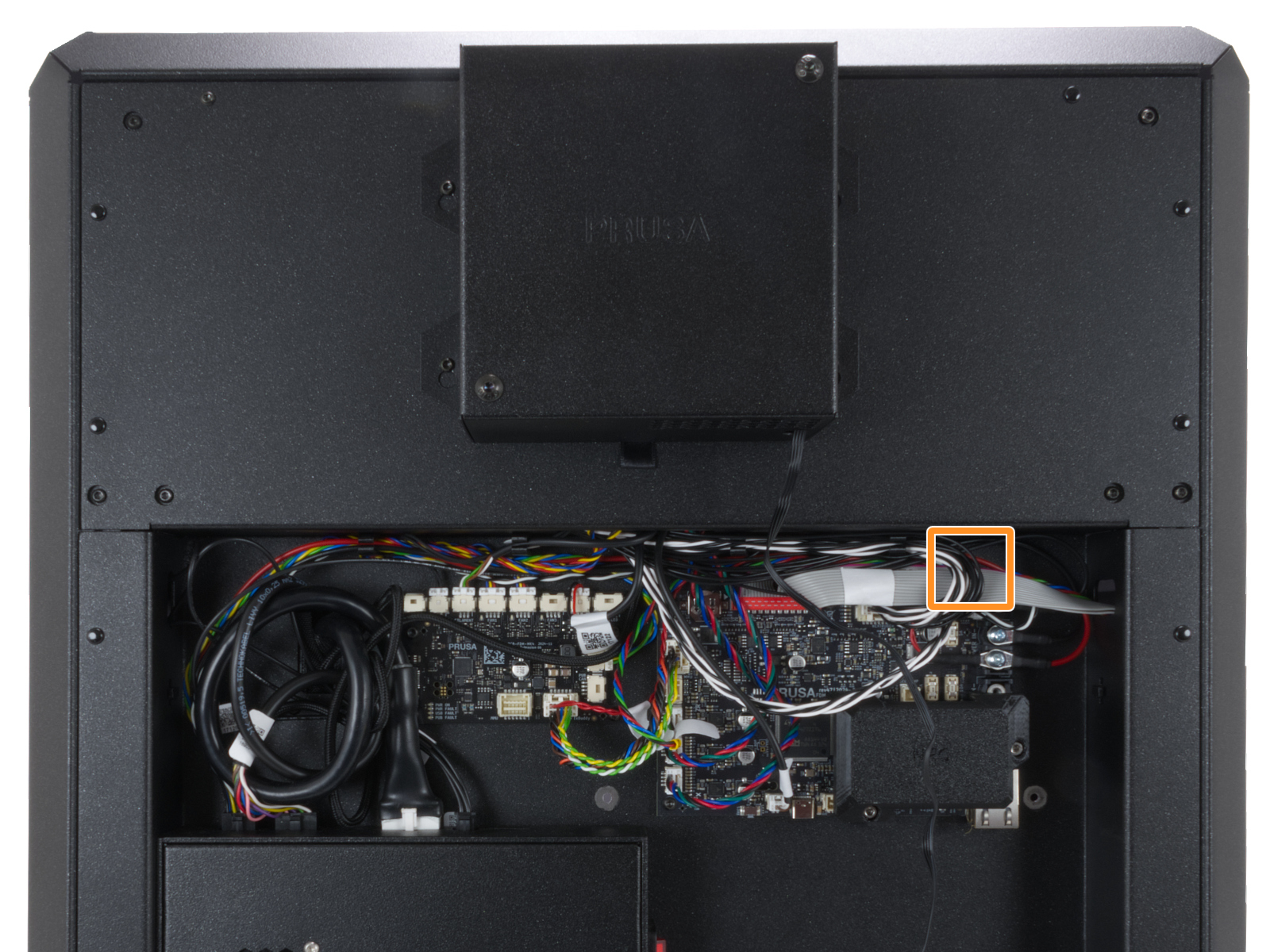
Below is a schematic indicating the power panic cable location within the xBuddy board. Press the latch on the connector, and while pressing it, gently pull out the cable to disconnect it, then reconnect the cable in place.
 |  |
If the issue persists, do not hesitate to contact our Customer support at any time.