Relevant for


If your printer doesn't turn on, keeps turning off, or is stuck in a boot loop, see here how to fix the issue.
This can happen if you are trying to re-flash the printer firmware, or on rare occasions when trying to start a print. The solution for this issue is to turn off the printer on the PSU button and turn it on again (do not use the LCD reset button for this issue).
In case the issue is not fixed, make sure that all the cables are properly connected to the main board.
For the printers with the Nextruder, check also the main cable. On the CORE One, MK4/S, and MK3.9/S, that is the cable that leads the XBuddy board to the Nextruder. Make sure that it is well-connected on both sides and that the length of the cable has no damage.
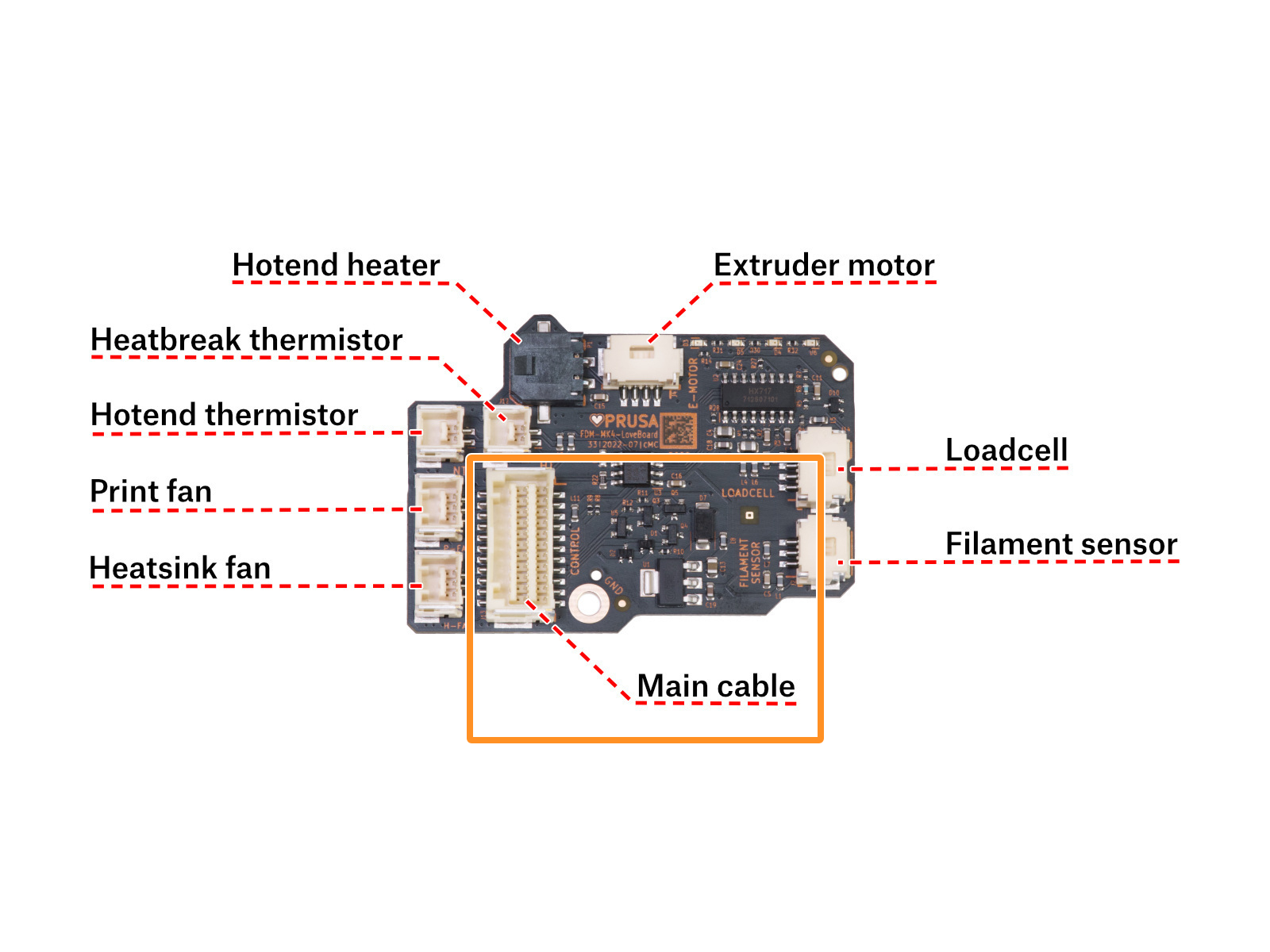 | 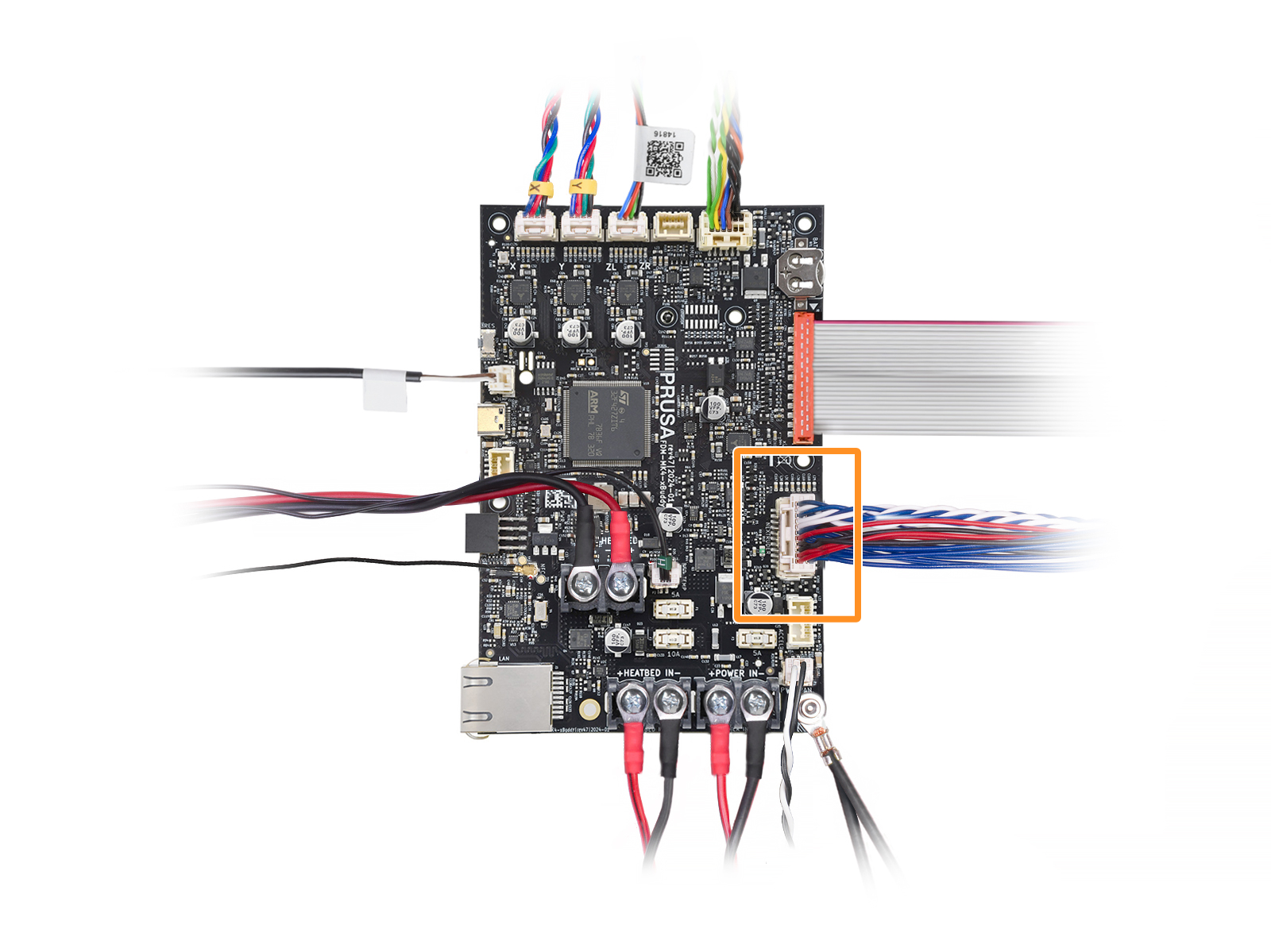 |
On the XL, check the main cable connection on the Dwarf board, Sandwich board, and if applicable, the XL Splitter board.
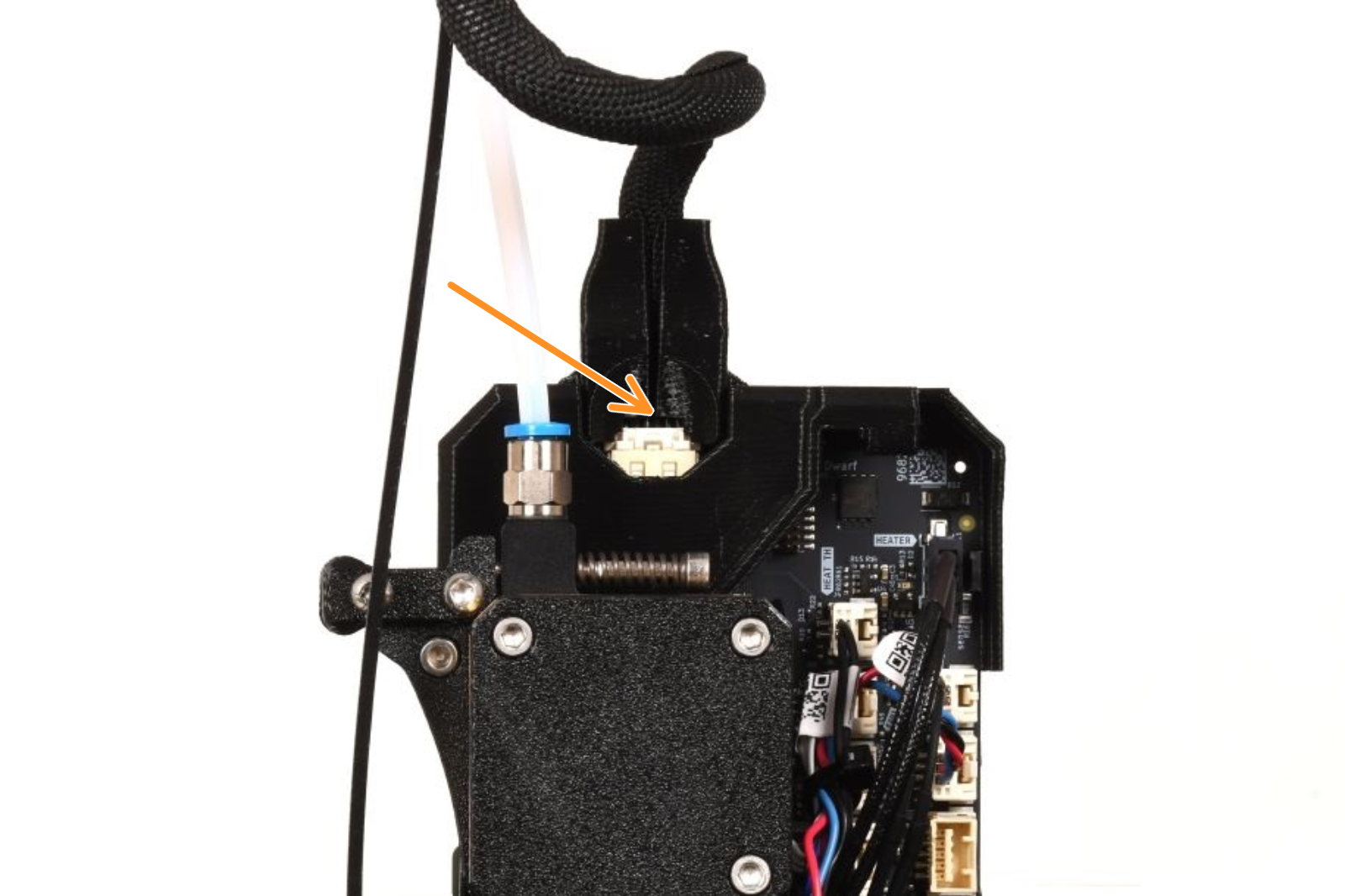 | 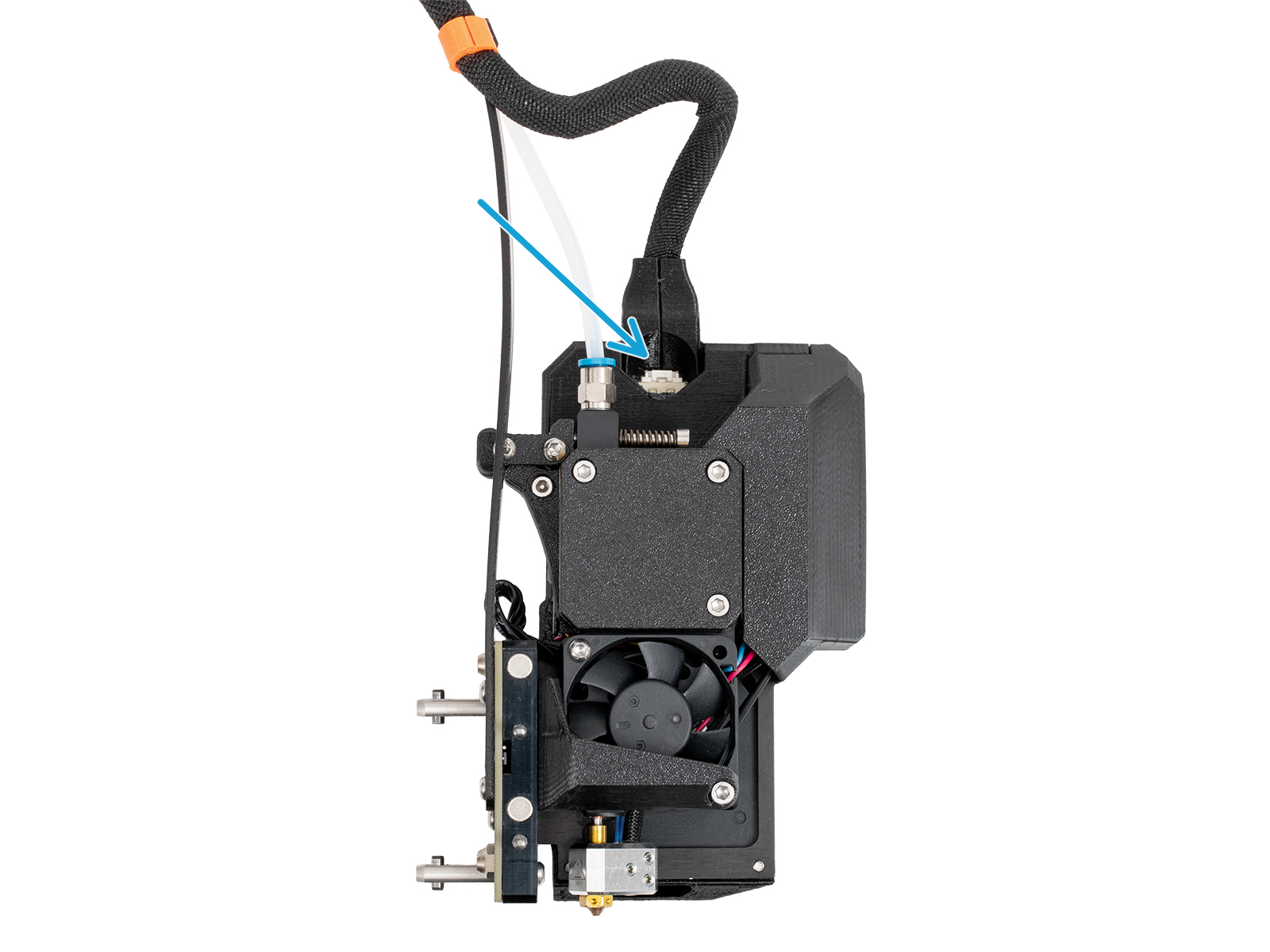 |
| XL Single-tool | XL Multi-tool |
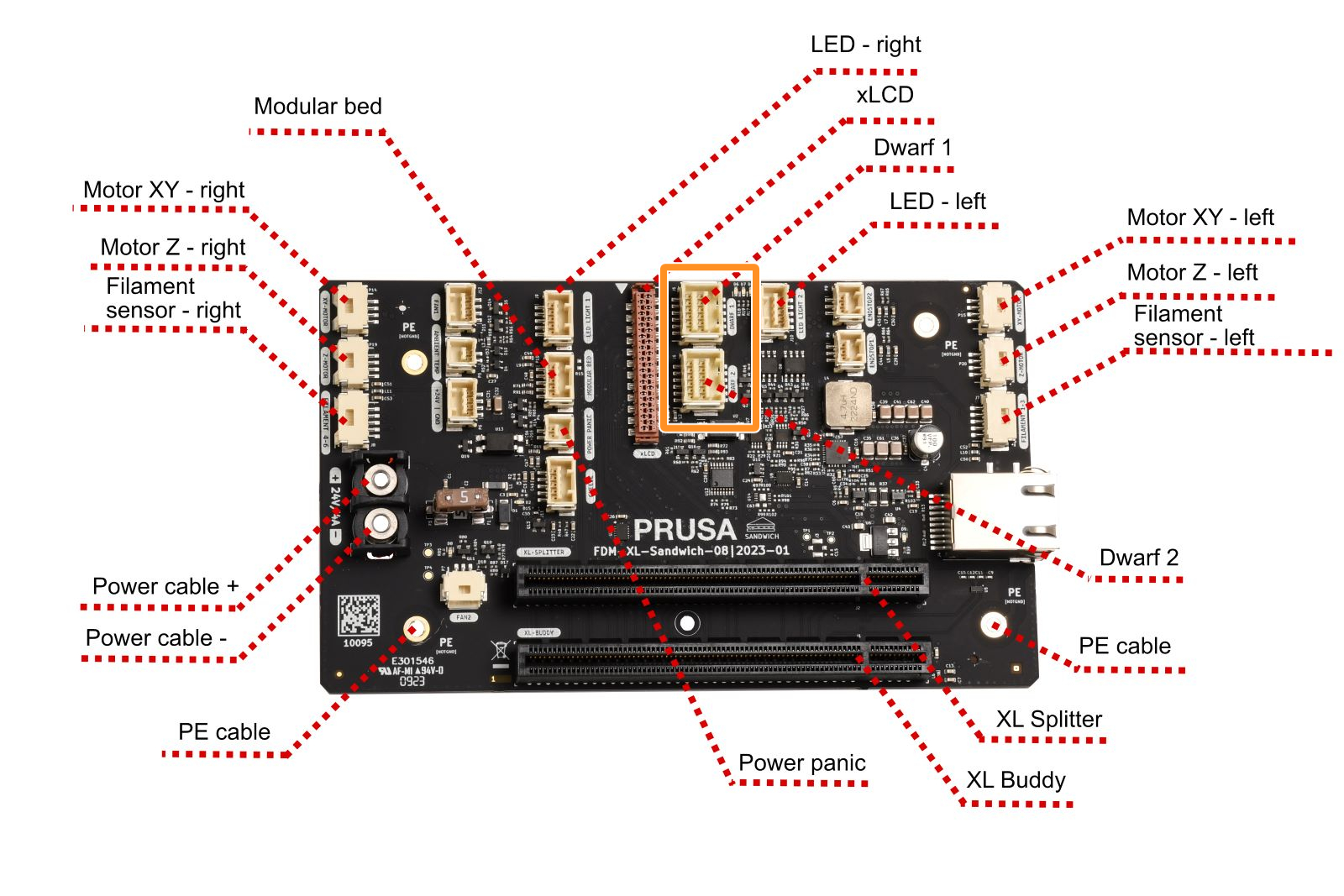 | 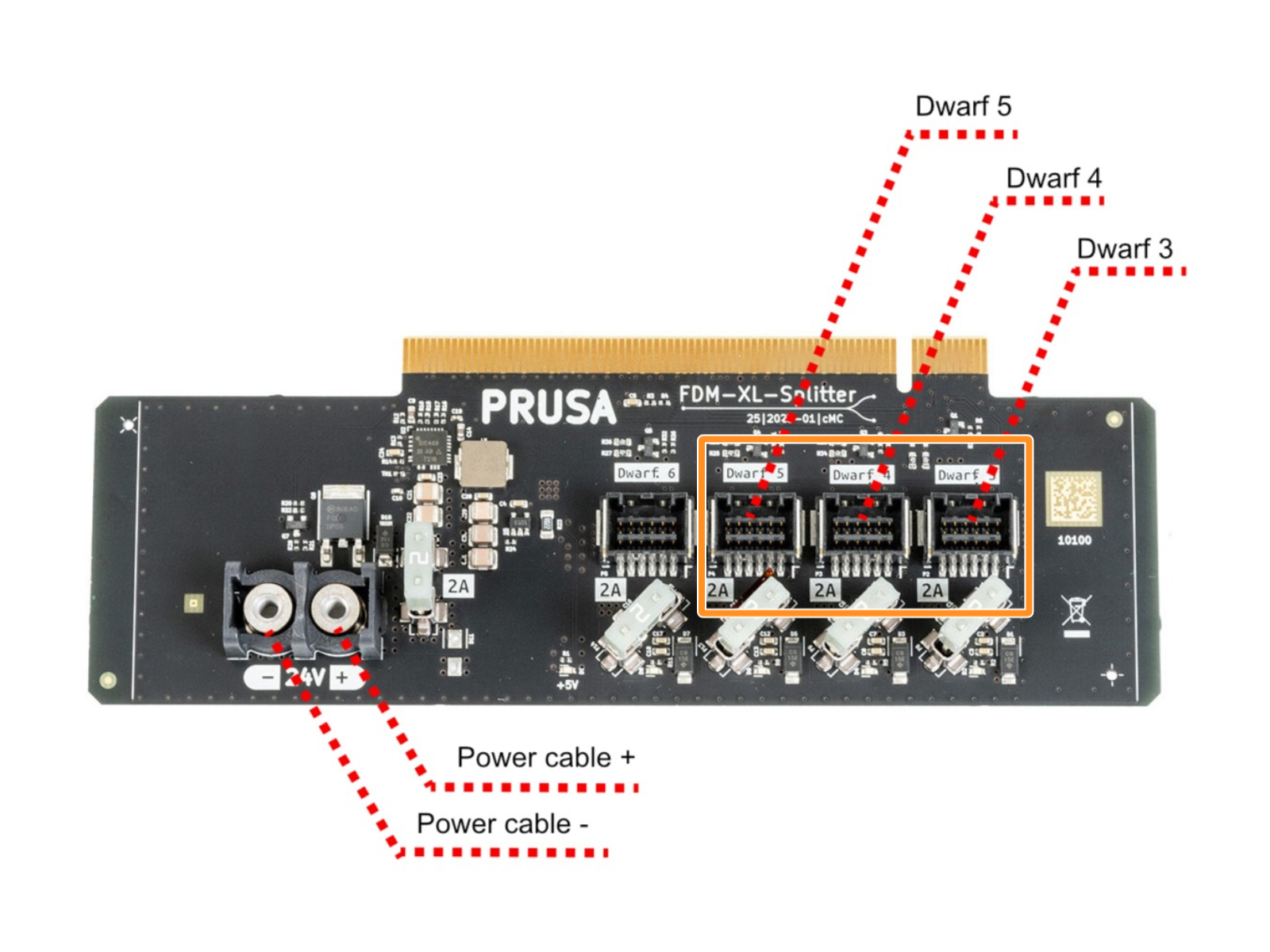 |
| Sandwich board connectors | XL Splitter board connectors |
If your printer does not turn on at all, then there might be a more serious problem present. Try the following steps:
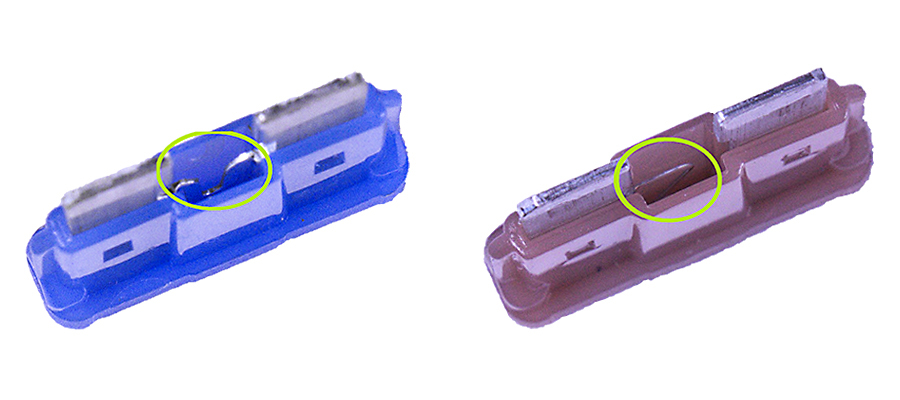 | 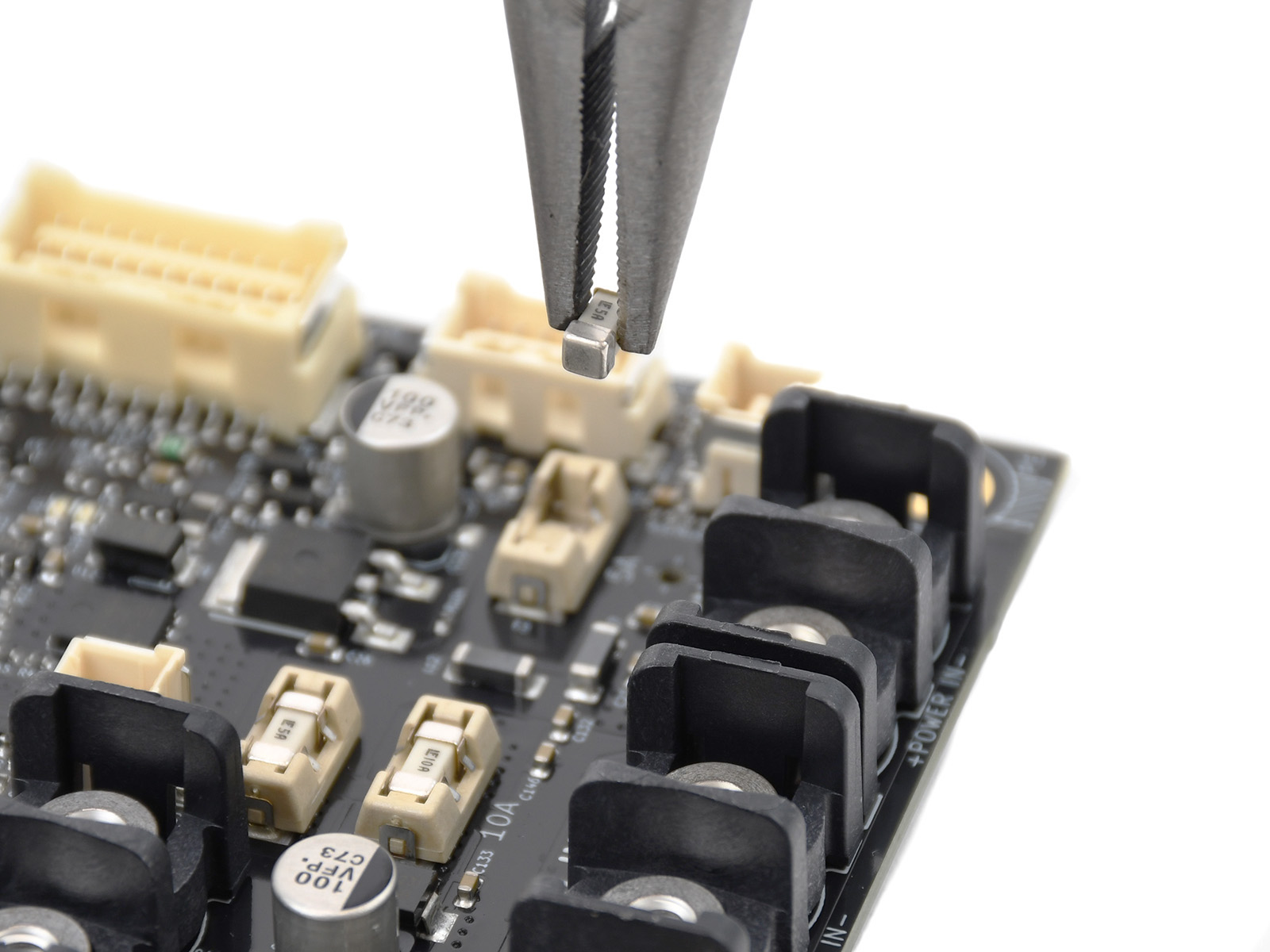 |
| Blade fuses | SMD fuses |
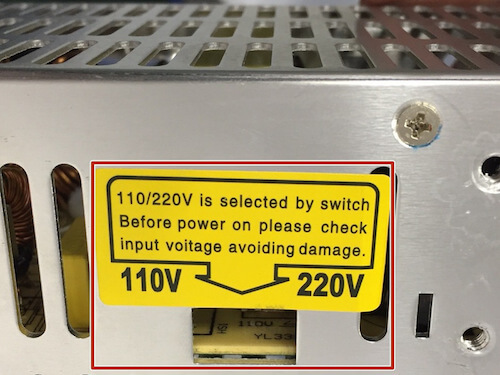
If your printer happens to power off during the initial preheating process, there's usually no serious damage. Most likely, you just have the voltage switch set to 220V in a 110V power environment.
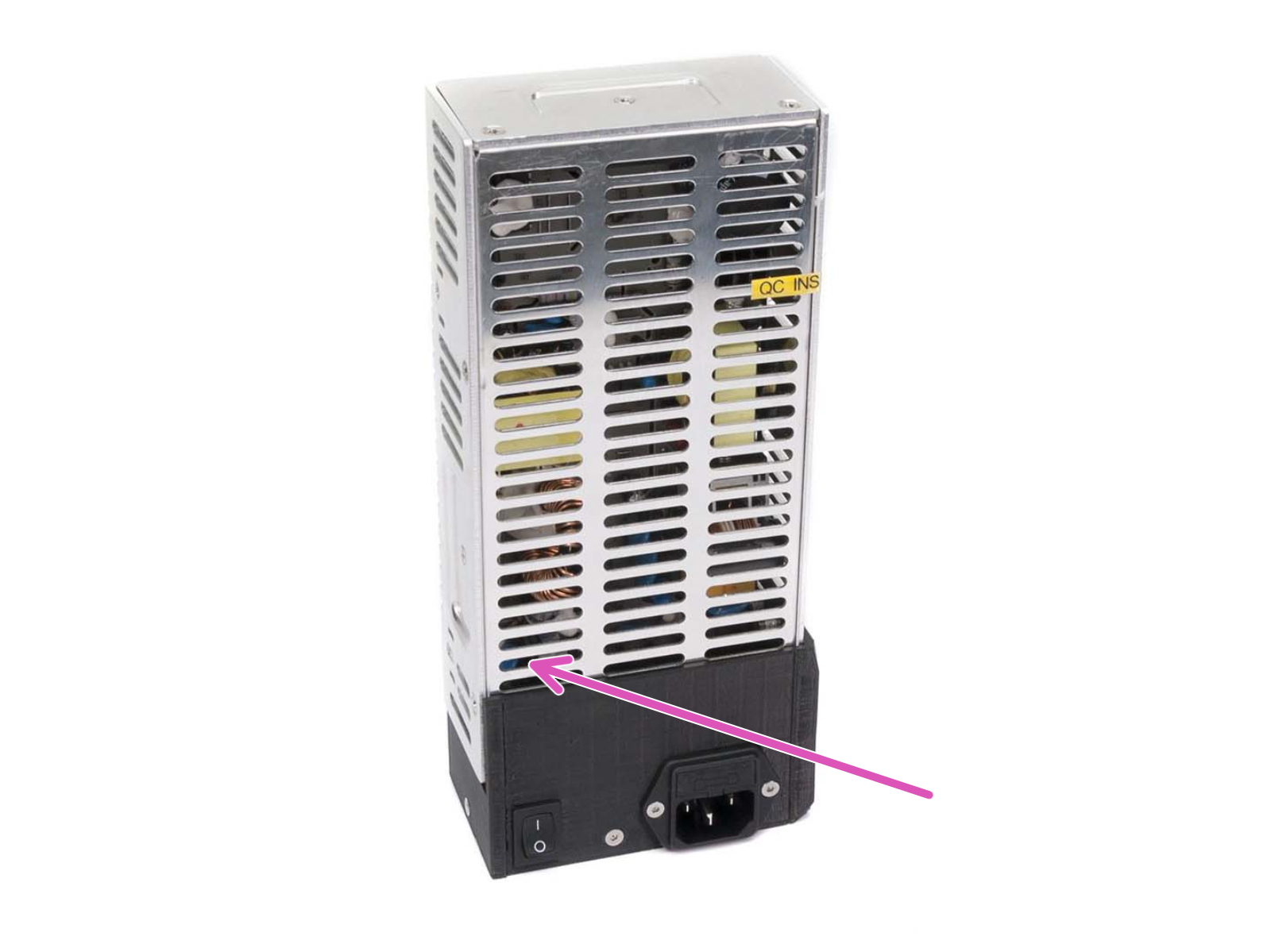
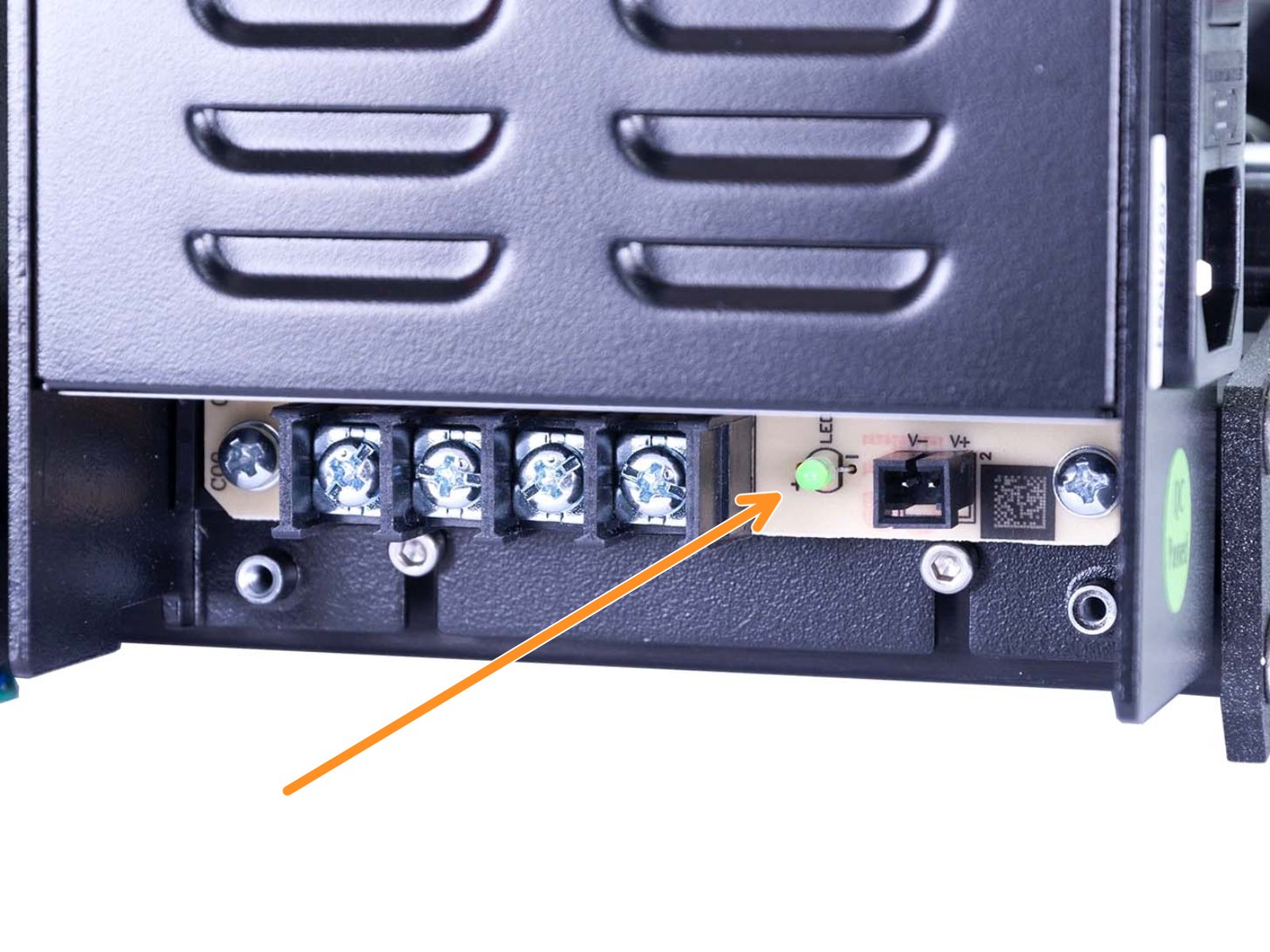
Every PSU has a green indicator LED to show whether it is active or not.
The silver PSU has this located inside its case, seen through the metal cover, in the bottom-left (purple arrow).
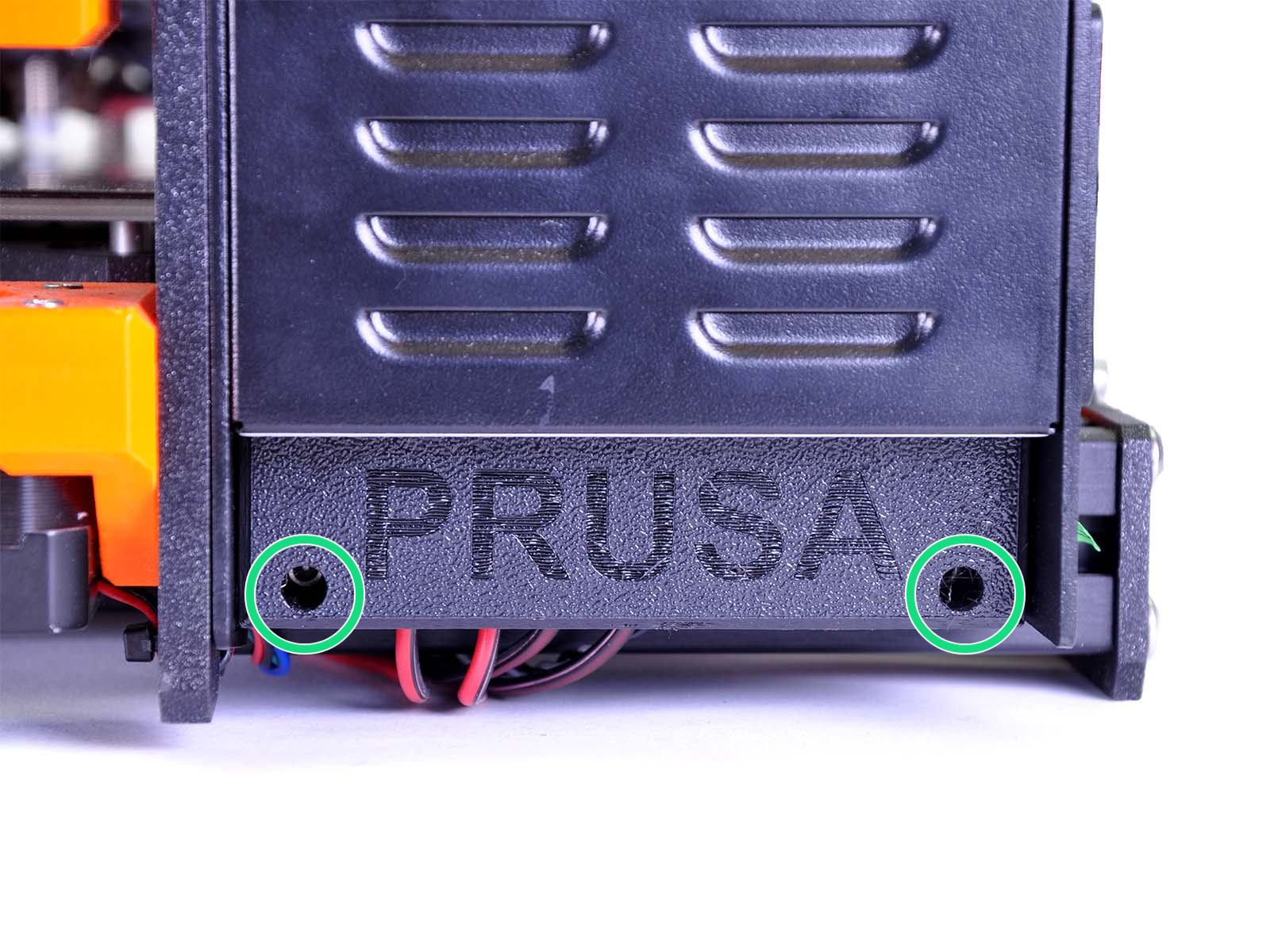
 The black Delta PSU has this LED hidden behind the cover of its terminals. Remove the two screws on the cover (green circles) to reveal the terminals, for probing with a multi-meter, and the green indicator-LED (orange arrow).
 |  |
8 comments
Hi Jamores, looks like this needs a detailed look from our specialist. Please get in touch with our 24/7 support. They will help you troubleshoot your issue :)
my Prusa i3 MK3S+ does not turn on anymore.
The green led of the my black delta PSU is off.
I have verified the fuse of the PSU and it is OK.
Can you help me please ?
Damien
TJ
https://youtu.be/pQLD6czwmBg
Tried everything in this troubleshoot but no luck (mk3s). Also checked forums. Any tips i havent tried would be much appriciated :)
Hi! Do you have a PSU version with voltage switch to accomodate both 110 and 230V? is it set correctly? Are all of the power supply cables good and have a good contact? Try re-tightening all the cable clamps on both the Rambo board and the PSU. If nothing helps, please prepare the order number and contact support via shop.Prusa3D.com :)