English
Login

Homing error Z

#31301 (CORE One) #35301 (CORE One L) #26301 (MK4S) #13301 (MK4) #27301 (MK3.9S) #21301 (MK3.9)

Relevant for

CORE One
MK4 family
MK3.9 family
CORE One L
CORE One+
Article is also available in following languages
English
Čeština
Polski
Deutsch
Français
Español
Italiano
日本語

What happened? 

The printer is showing the message: "Failed to home the extruder in Z-axis, make sure the loadcell is working".

Error name: Homing error Z

Error code: #31301 (CORE One) #35301 (CORE One L) #26301 (MK4S) #13301 (MK4) #27301 (MK3.9S) #21301 (MK3.9)

How to fix it? 

Forces from filament feeding

Make sure that the extruder is not exerting force to pull down the filament. If you are not sure, try to unwind it a small amount on the spool when testing the Z-axis.

In case you have an MMU, Enclosure, or custom setup where the filament is fed to the extruder by a PTFE tube, make sure that the extruder does not have to exert force to pull down the tube. 

Trapezoid nuts

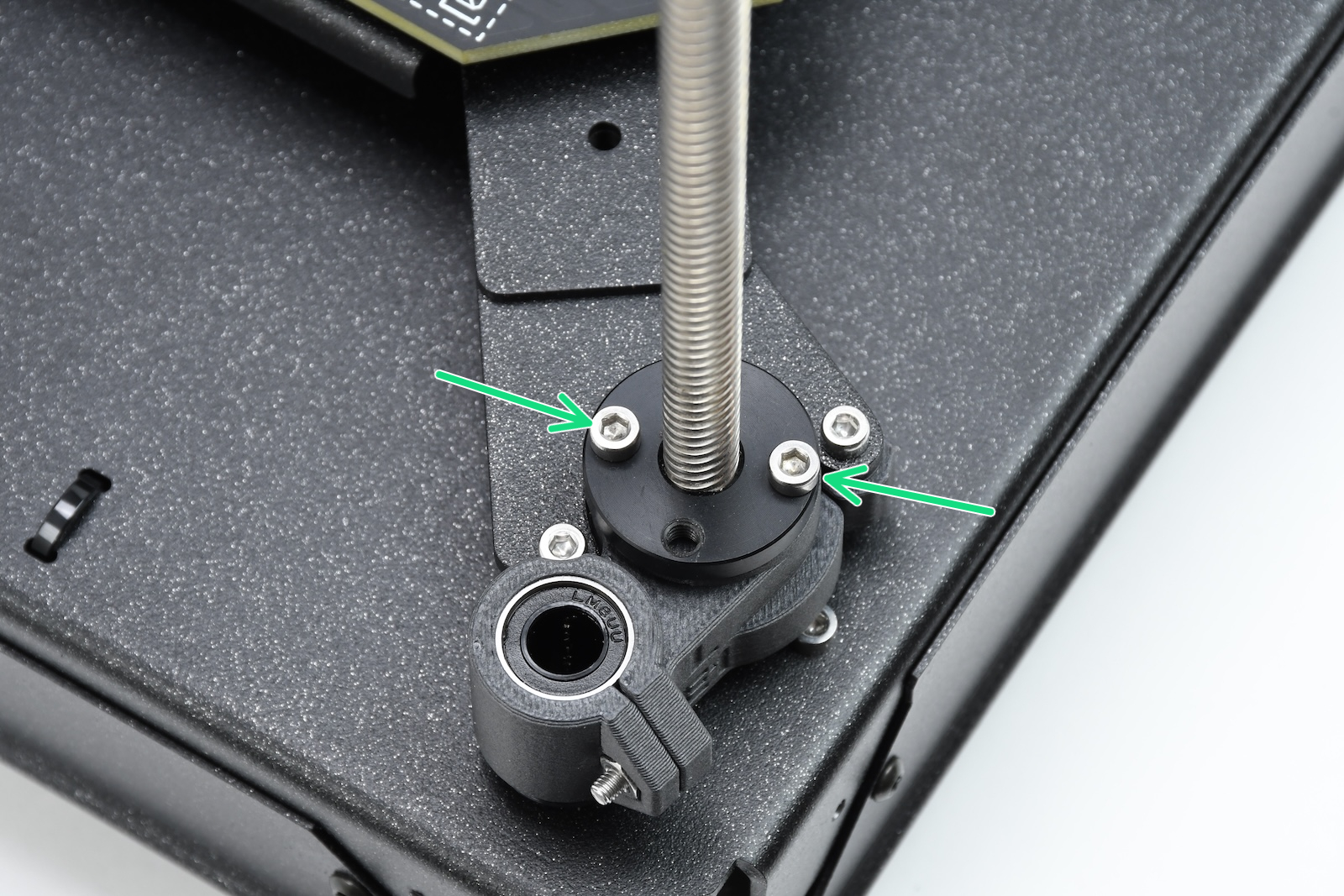
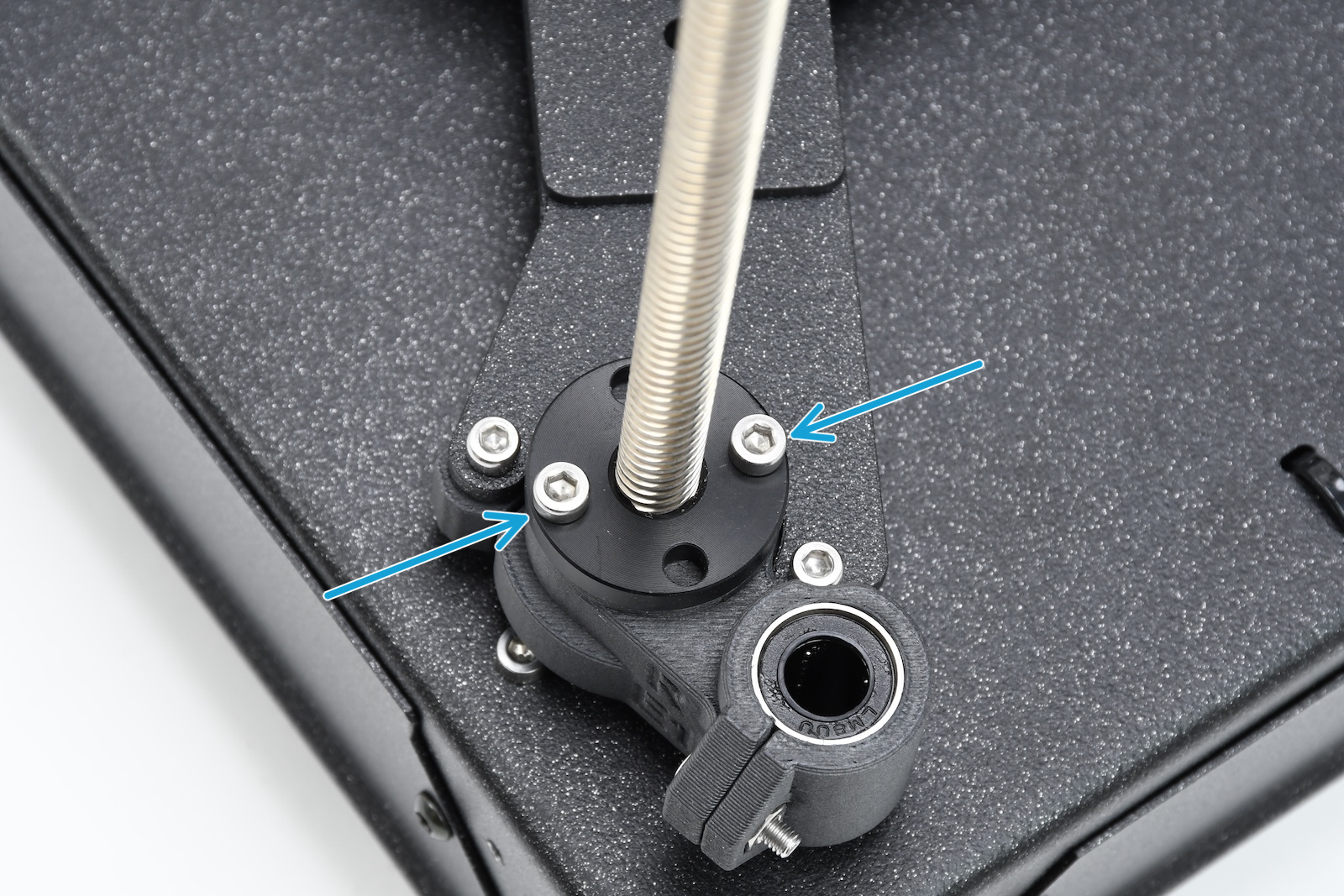
On CORE One and CORE One L, move the bed down, open the trapezoid nuts, and check if they can move freely along the threaded rods.

It is also possible to lubricate the Z-axis lead screws as instructed in Regular printer maintenance (CORE One/+) under "Axes check - Z-axis leadscrews"
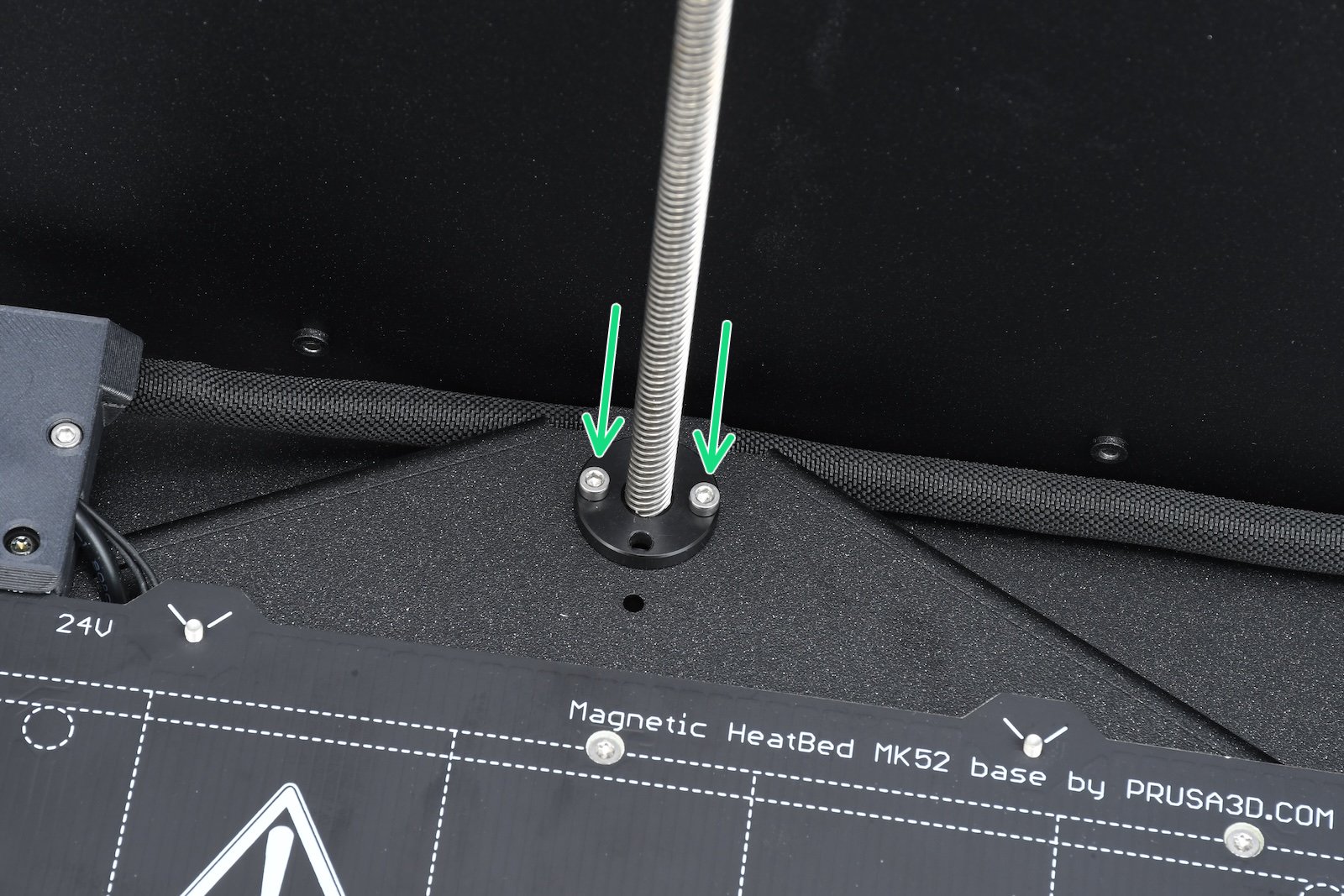
Rear motorFront left motorFront right motor

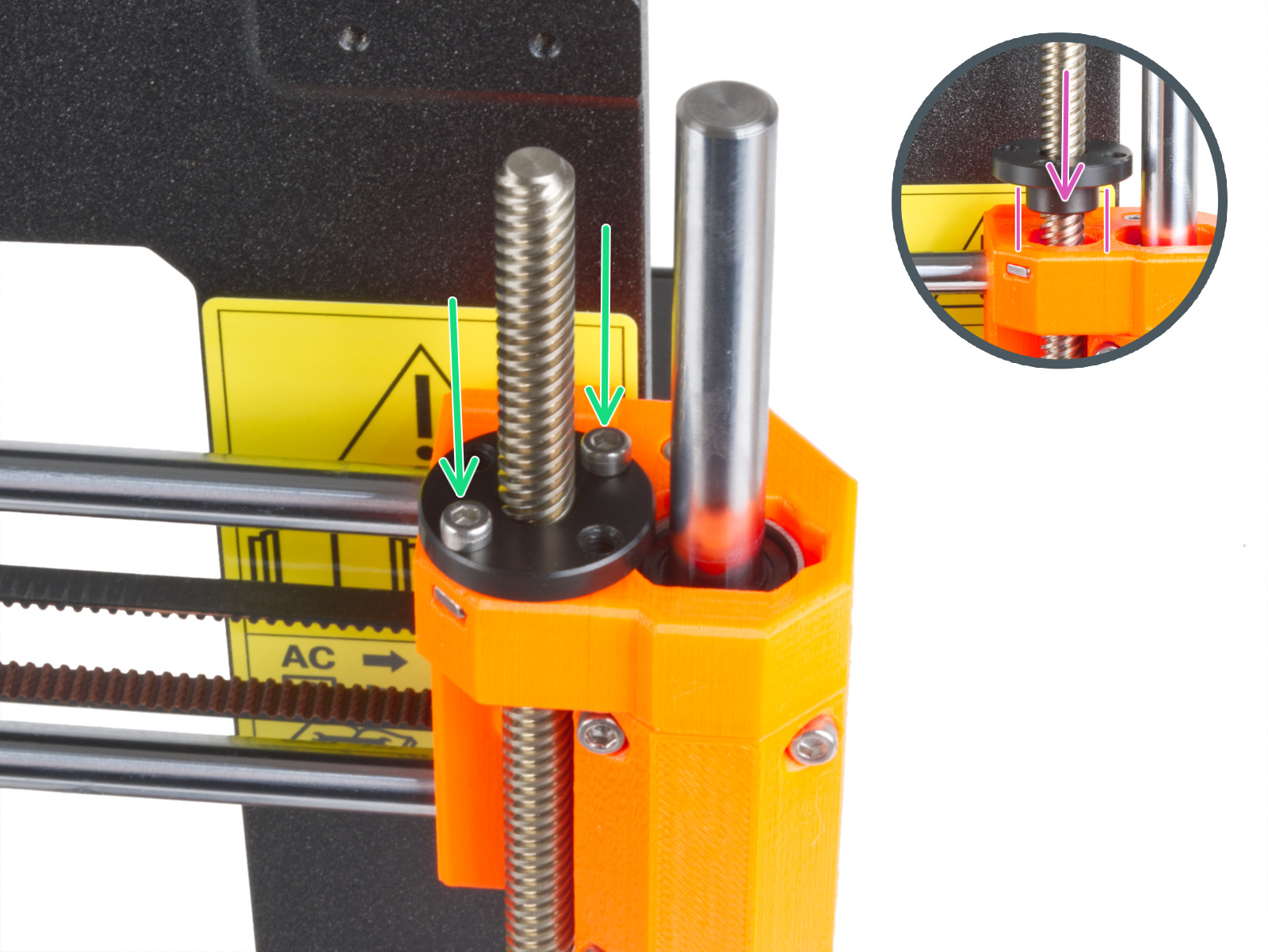
On MK-series printers, check if the trapezoid nuts have the correct orientation. 
Loadcell troubleshooting

If the above checks do not solve the issue, it will be necessary to troubleshoot the loadcell and the components surrounding it. The dedicated loadcell troubleshooting article contains all the points to check and that can be related to this error. 

Was this article helpful?
This action is available only to registered users. Please log-in.
 

12 comments

Log in  to post a comment
Amine
I had this error on Core one:
was solved, by :

1- Move axis z to the bottom
2-auto Home
3-Z axis Calibration
yvan levasseur
Nozel is not on the bed it pas it
Joshua Brader
Same thing happened to me I got a new noseless because my other one got broken
Dan Carmen
We had this error on the MK4S and followed the loadcell troubleshooting. I believe in our case it was simply a matter of some filament had been ground up by the feed and enough of the filament dust was laying on top of where the loadcell is installed. We took the PG-case off and used a cotton swab to clean off the top of the loadcell, and now everything seems to be working well. It didn't seem like much but I think the loadcell is very sensitive.
Dan Carmen
So I was wrong about that. It worked for one print and then started acting up again. We ended up buying a replacement heatsink and loadcell and now it is working for several prints without issues.
Brian Latz
Yes this article was helpful. I’m not really sure what was going on wrong but I was having issues with the Z height and homing. I went through the test and calibration route twice and the machine would time out during a program start or nozzle cleaning routine. I read the article and followed the calibration sequence again . I re-homed the machine and it has been working fine since.
Vilo
JellyTitan, You deserve an award! This error jumpscared us at work. Thankfully we found your comment=problem solved. The screws were indeed ever-so-slightly loose. Thank you.