Relevant for


The XL tool heads are connected to a metal profile on the back extrusion of the XL. During the selftest of the multi-tool head, the wizard will guide you through the Dock position calibration to properly align the tool heads. In case the tools are not aligned correctly, this error will be shown.
Error name: Dock position out of bounds
Error code: #17103
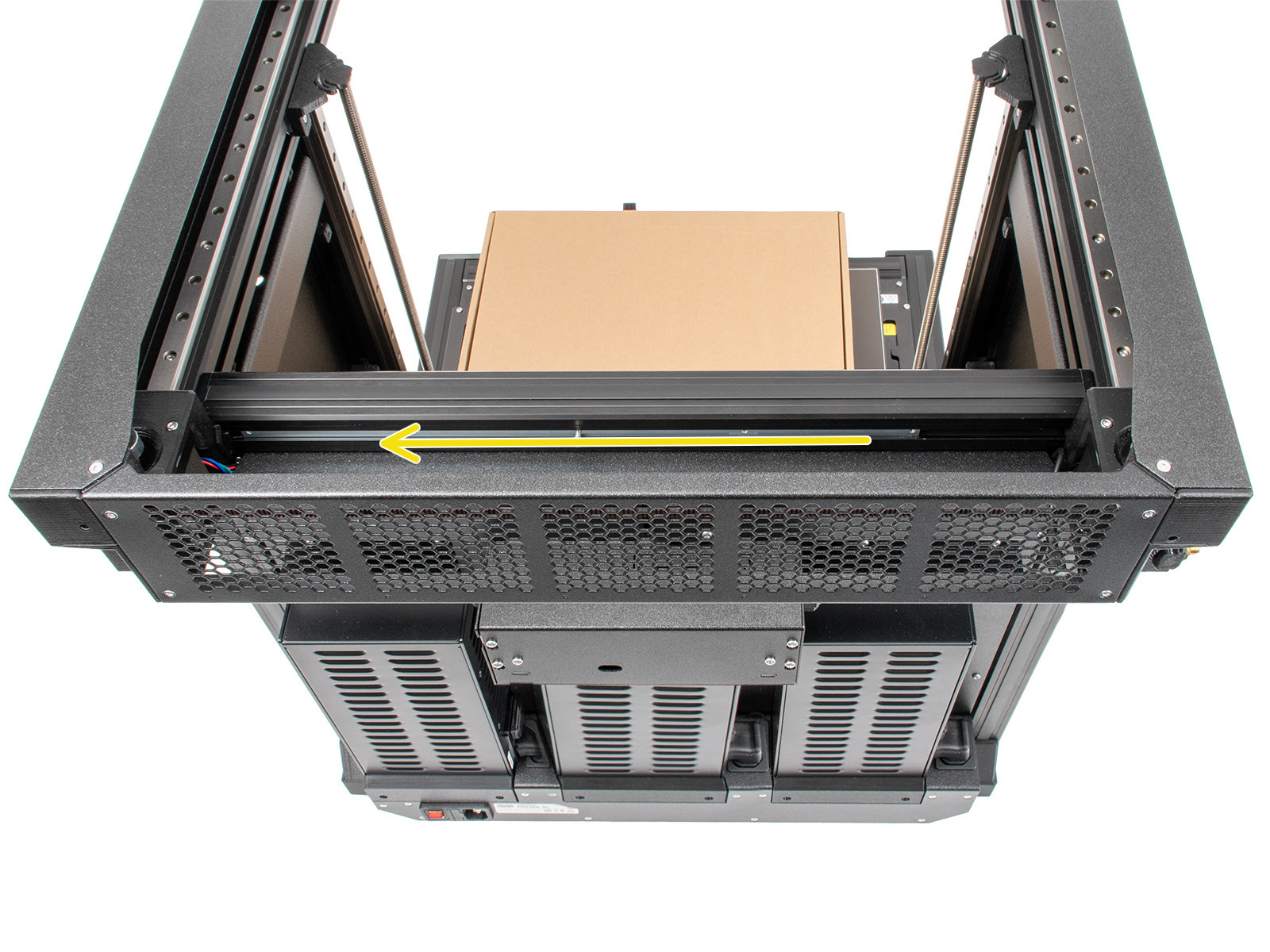
First, make sure that the metal profile that holds the extruders is all the way to the left side of the printer facing it from the back. This can prove difficult to see with the docks assembled. Temporarily loosening the toolheads and docks is recommended, so that this can be visible and ensured.
Tighten all docks in their position using the long part of the 2.5 Allen key. The dock is a press fit, while tightening the bolt fully, press the dock. Once tightened, check whether the dock has any play, it should not move at all.
For more details, refer to the video below.
Check whether the gantry is perfectly aligned, and the belts correctly tensioned. Refer to the dedicated Adjusting belt tension (XL) article for this procedure.
After that, restart the Dock Position calibration by going to LCD menu -> Control -> Calibrations & Tests -> 4 Dock Position Calibration. Align the tool heads again.
2 comments
the error persists even after checking the position of the metal rod, even though the rod is already all the way to the left (viewed from behind). What else could be causing this? The XL used was purchased new and has never been used for printing.
Thank you very much.
Obrigada :)
https://help.prusa3d.com/article/customer-support_2287